
Overview
The Challenge
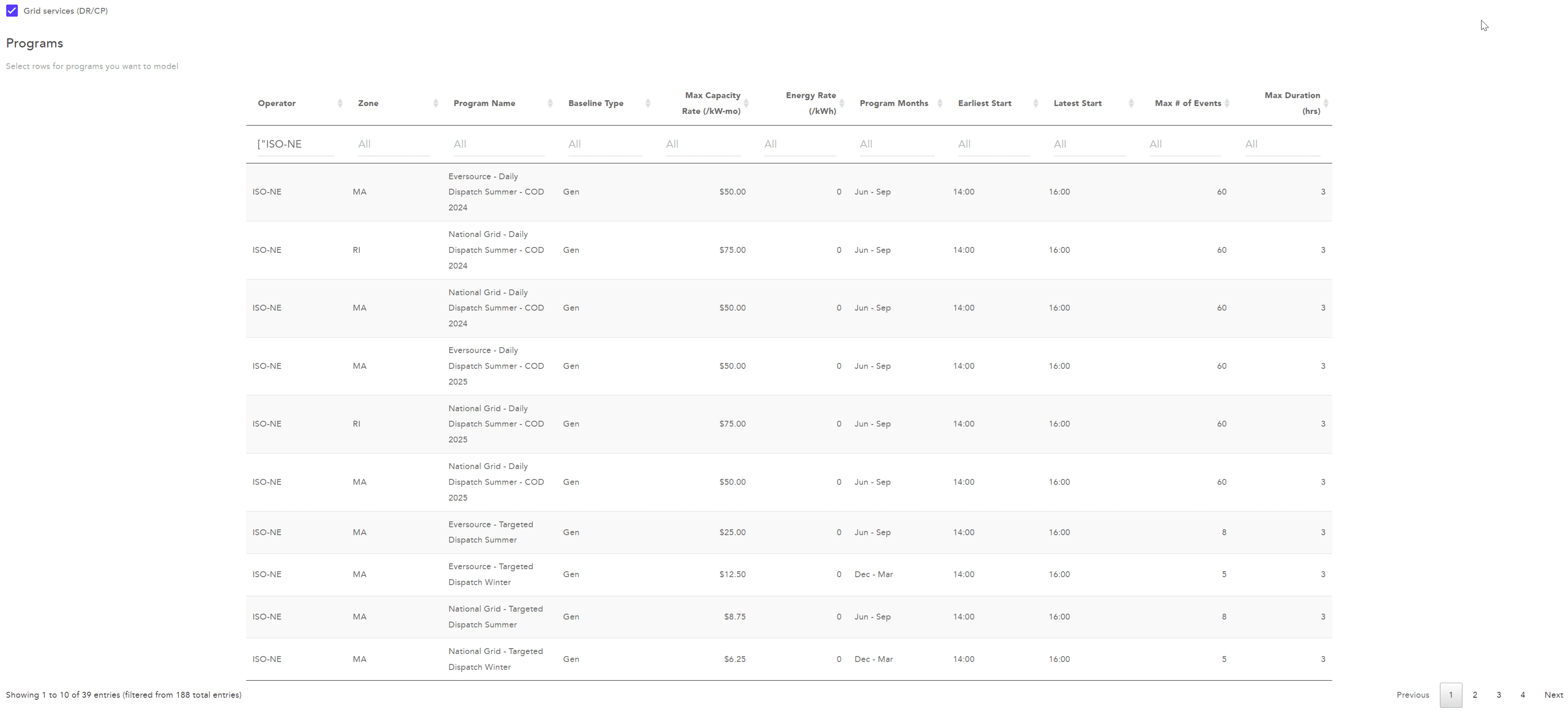
Grid Services, Optima’s largest feature, allows solution engineers to select battery-operation programs that vary by season, location, and function. Its dense program listings made it difficult to see what had been selected, navigate the system, and compare the information needed for a decision.
The challenge
How might we improve the usability and efficiency of Grid Services for solution engineers? Improving the internal tool also mattered to the business: engineers needed to explain Enel X’s offerings clearly and confidently to potential clients.


My Role
Research
Understand the engineer’s workflow
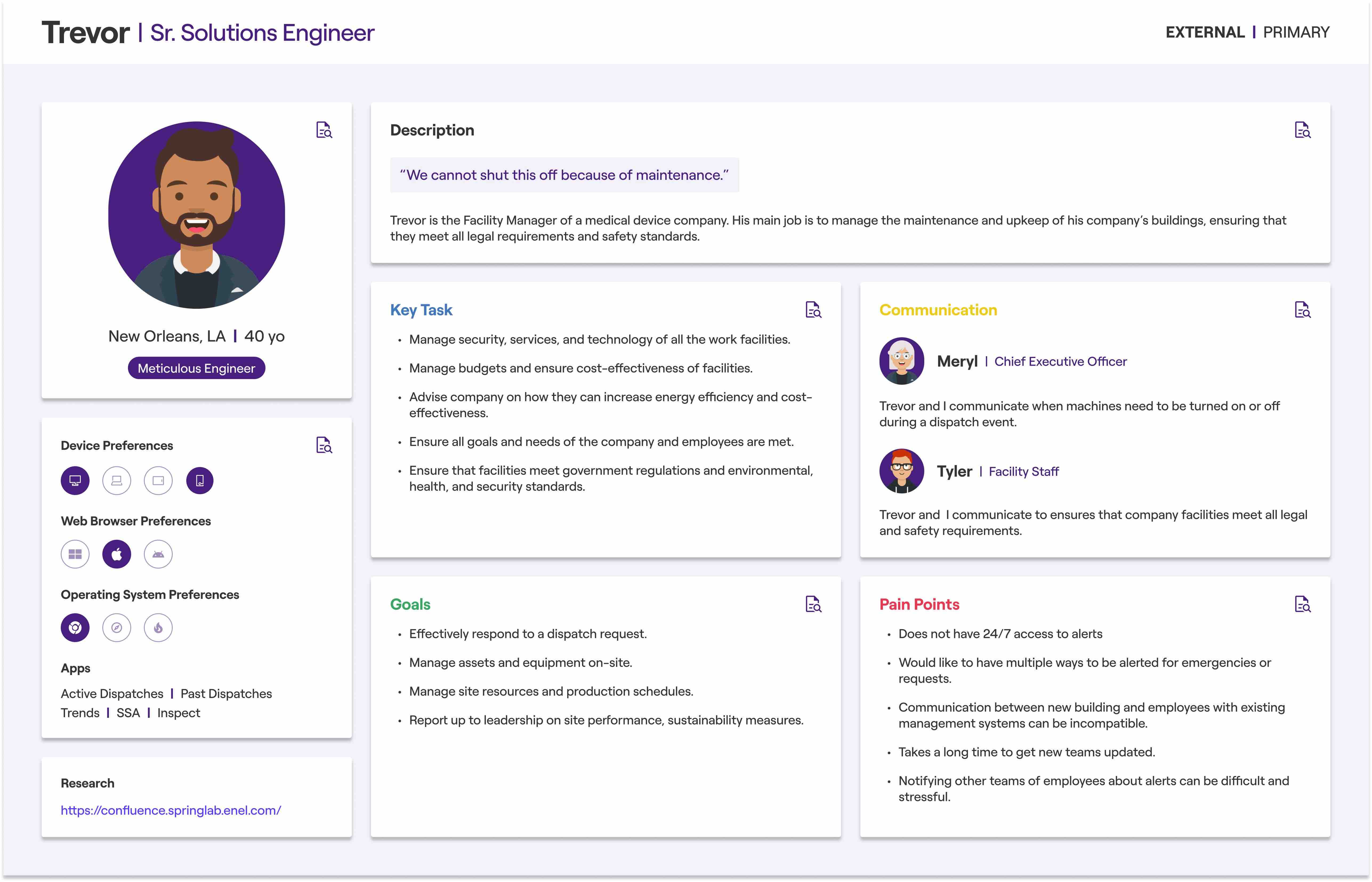
Trevor, our core persona, represented solution engineers responsible for monitoring facilities and responding to operational issues. For Grid Services, the central need was to compare options efficiently and make cost-effective decisions for their facilities.
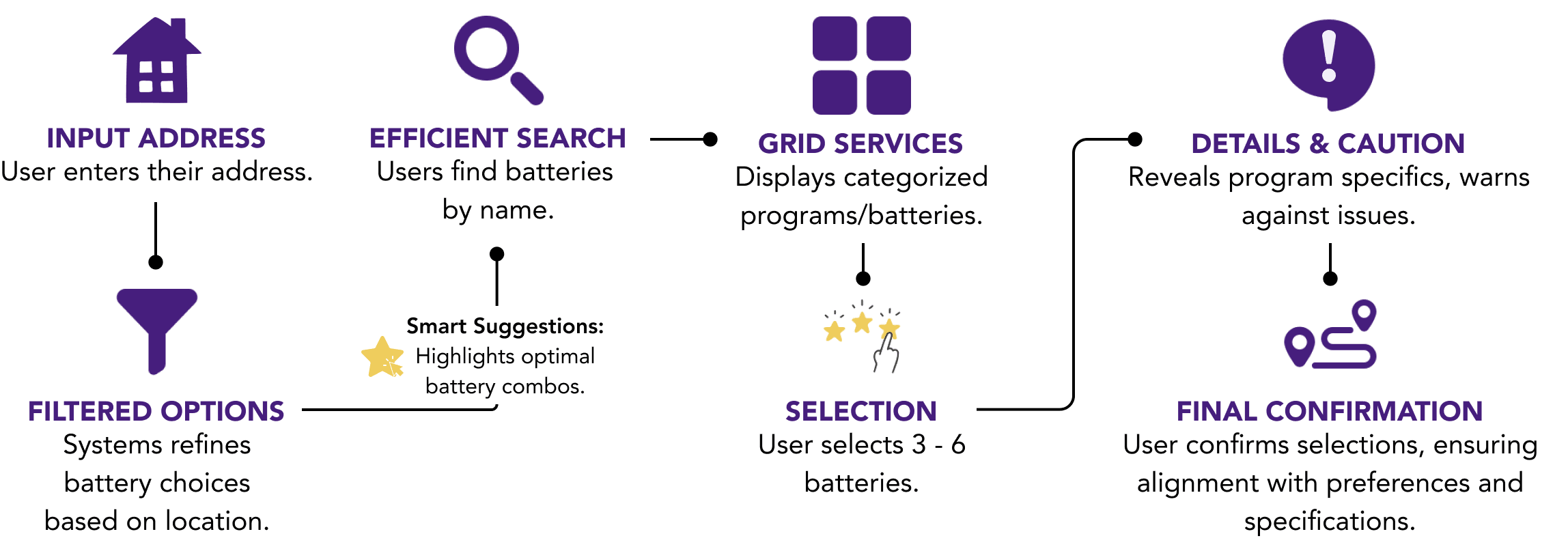
I mapped the end-to-end journey with solution engineers, walking through the existing interface step by step. We identified moments of hesitation, missing information, and trust gaps. The map exposed key decision points and the lack of an easy way to compare options side by side.
Test the interaction model with real product expertise
Three internal solution engineers participated in usability testing. Their feedback validated the overall interaction model and revealed three high-priority refinements before handoff.
“What’s the value of the program? What’s the range? What type of program is selected. That’s what I want to know.” — Internal solution engineer, Interviewee #1
Three findings that shaped the next iteration
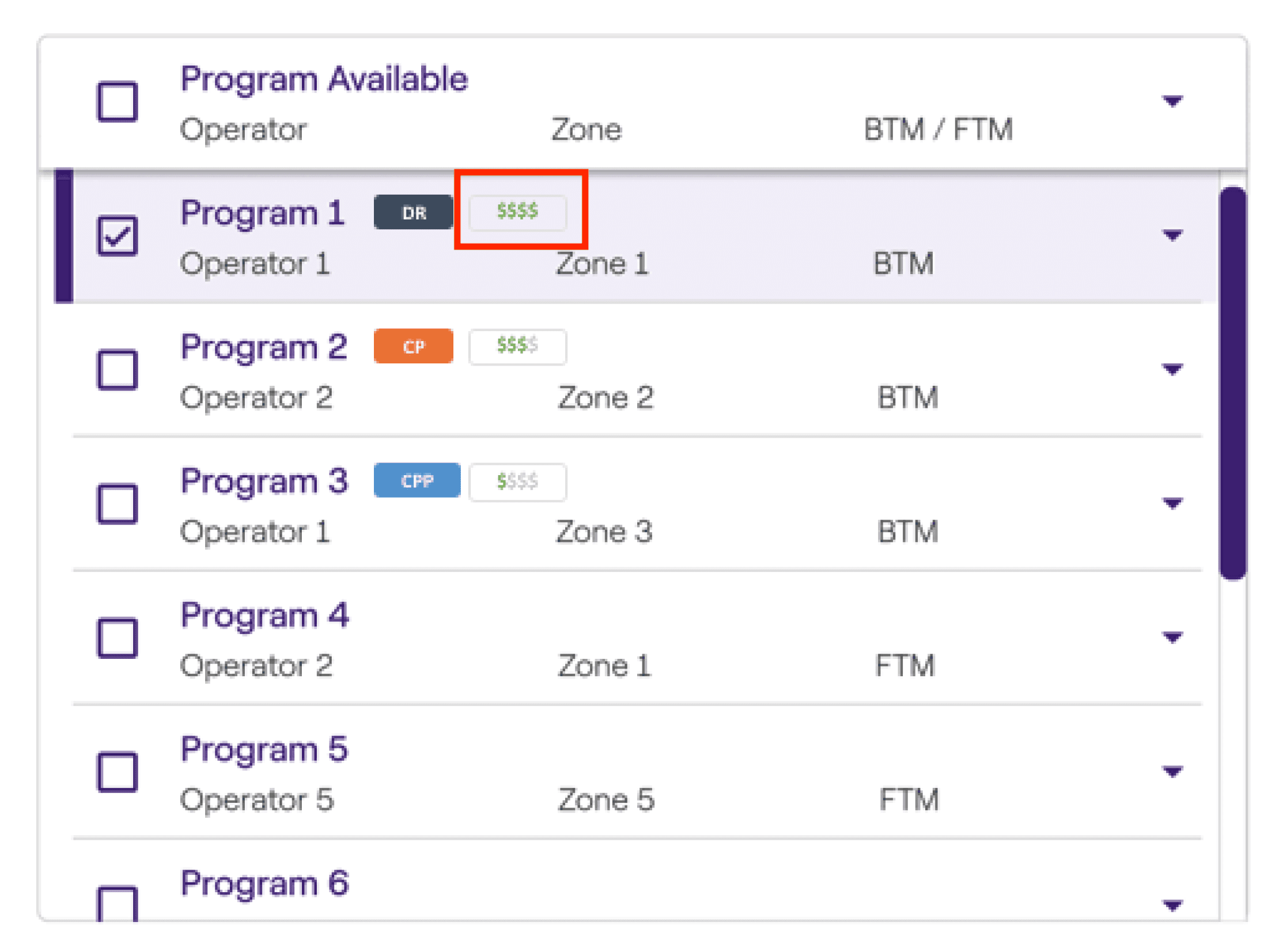
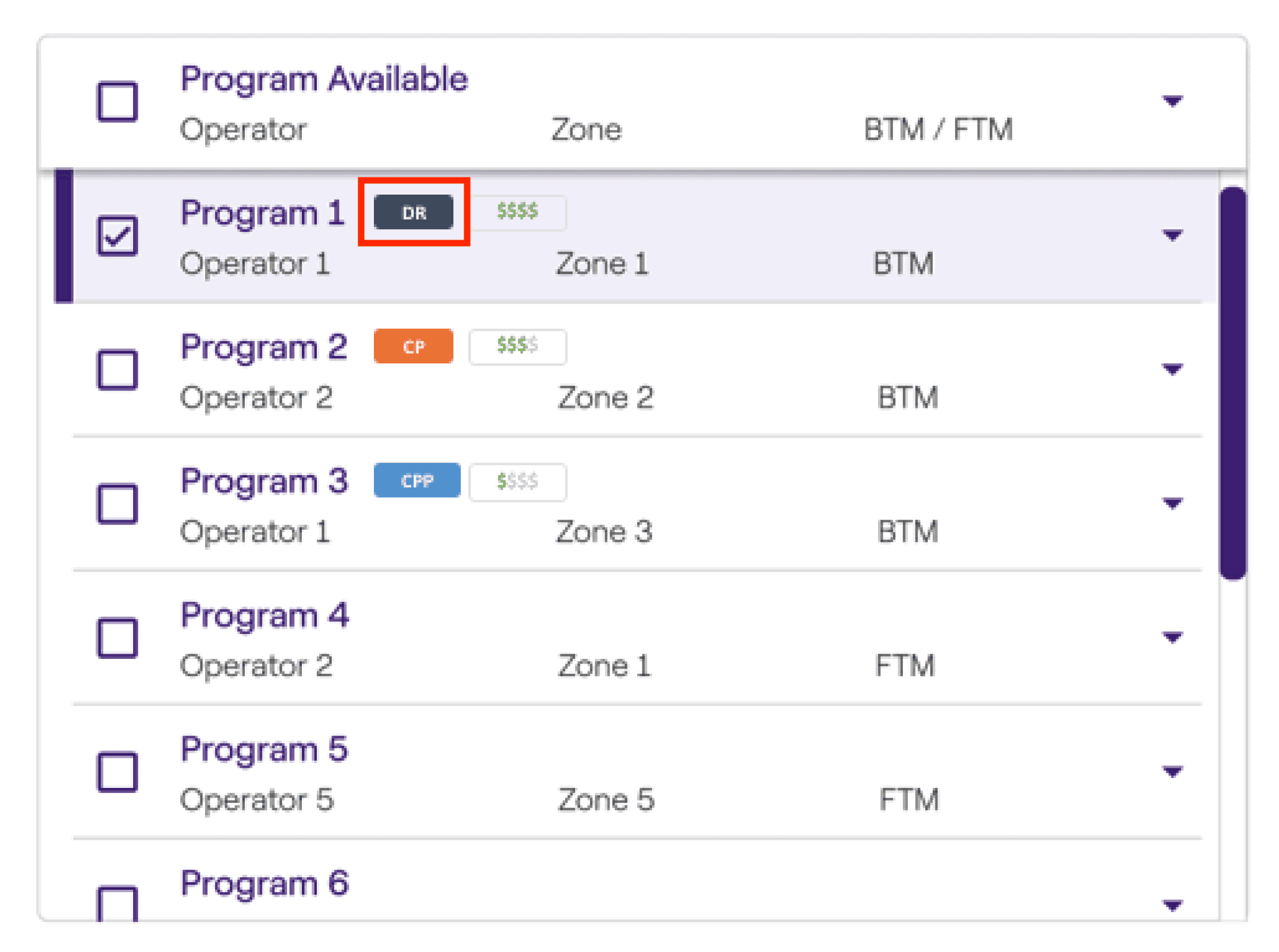
Filtering: engineers wanted the data table’s headers available as filter options. Value: they wanted a quick comparative indicator, similar to price ratings on Yelp. Program type: they needed visible category tags to identify what kind of program they were evaluating.

Design Process
Explore broadly through Crazy Eights
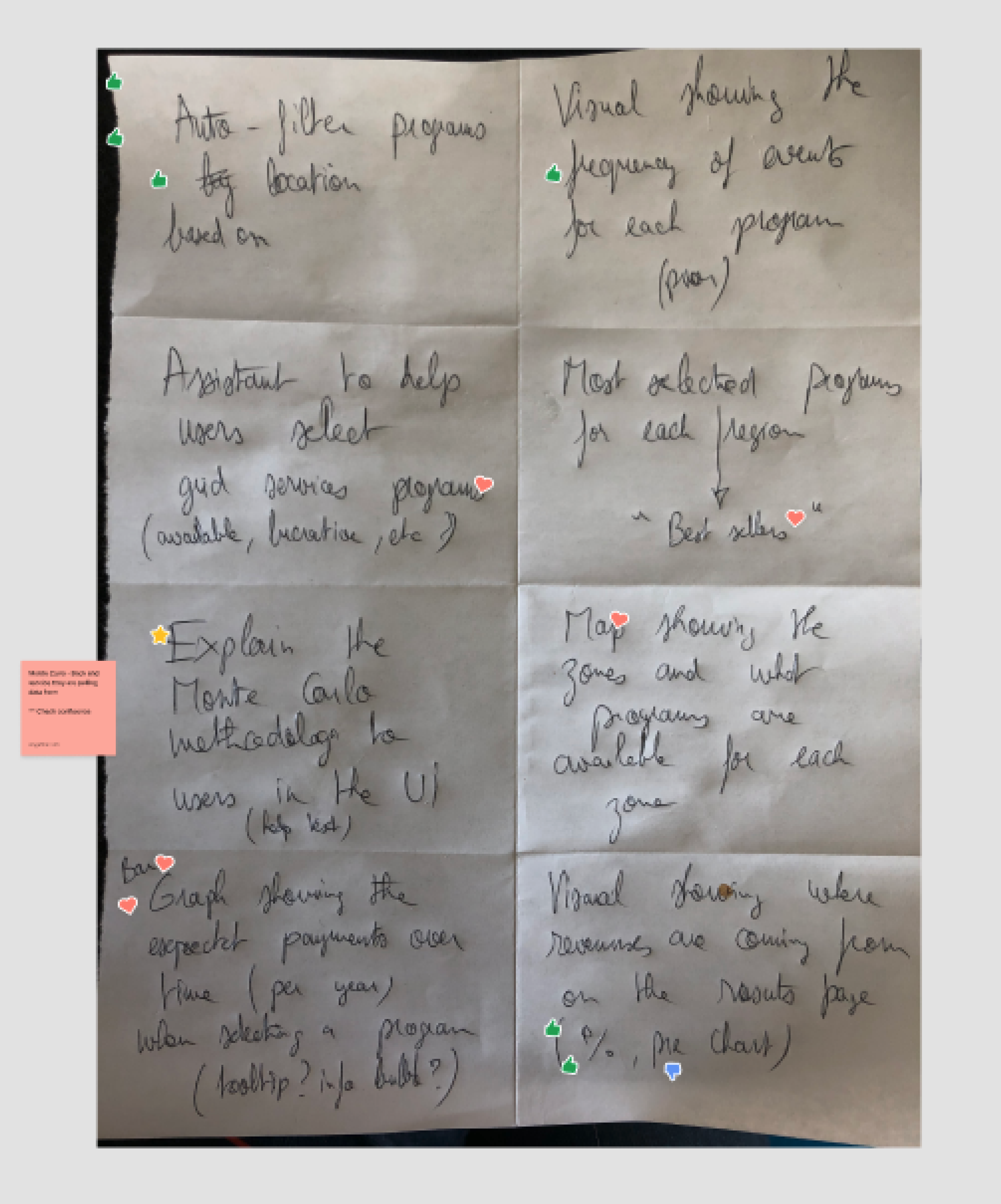
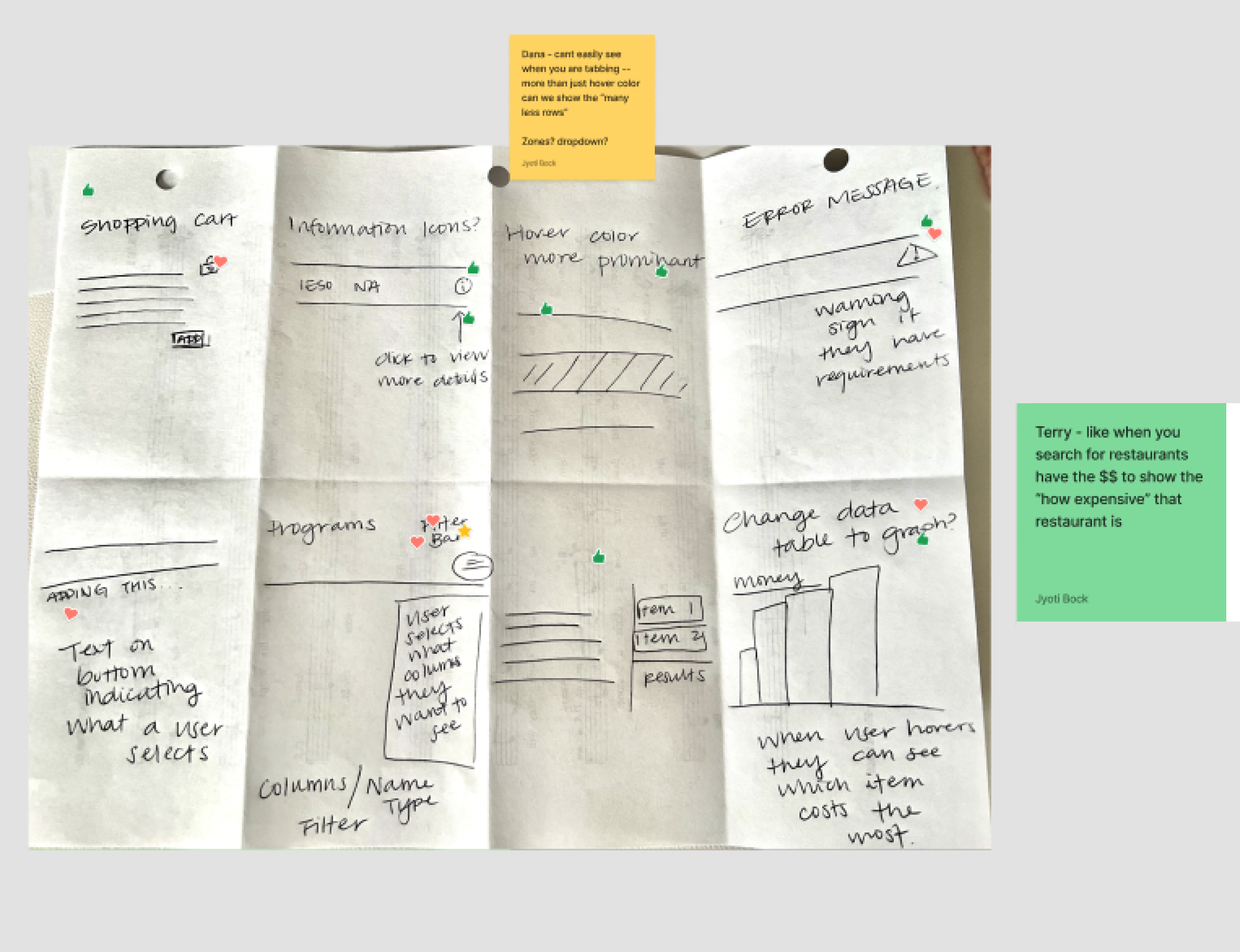
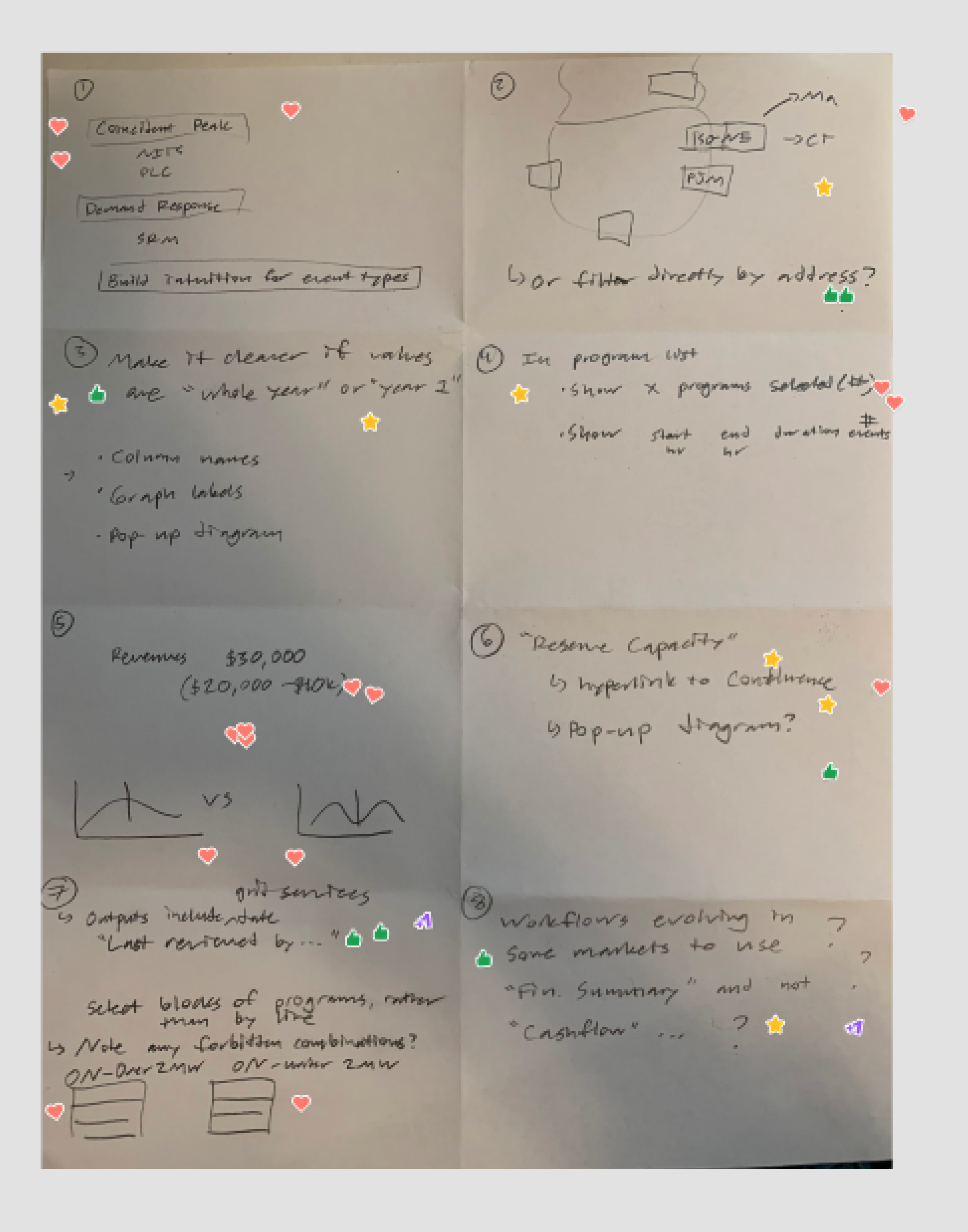
I facilitated a time-boxed ideation session with the Product Manager and a solution engineer. Together, we generated 24+ concepts, used sticky notes and voting to prioritize the strongest ideas, and carried the winning directions into wireframes.
Make selection explicit
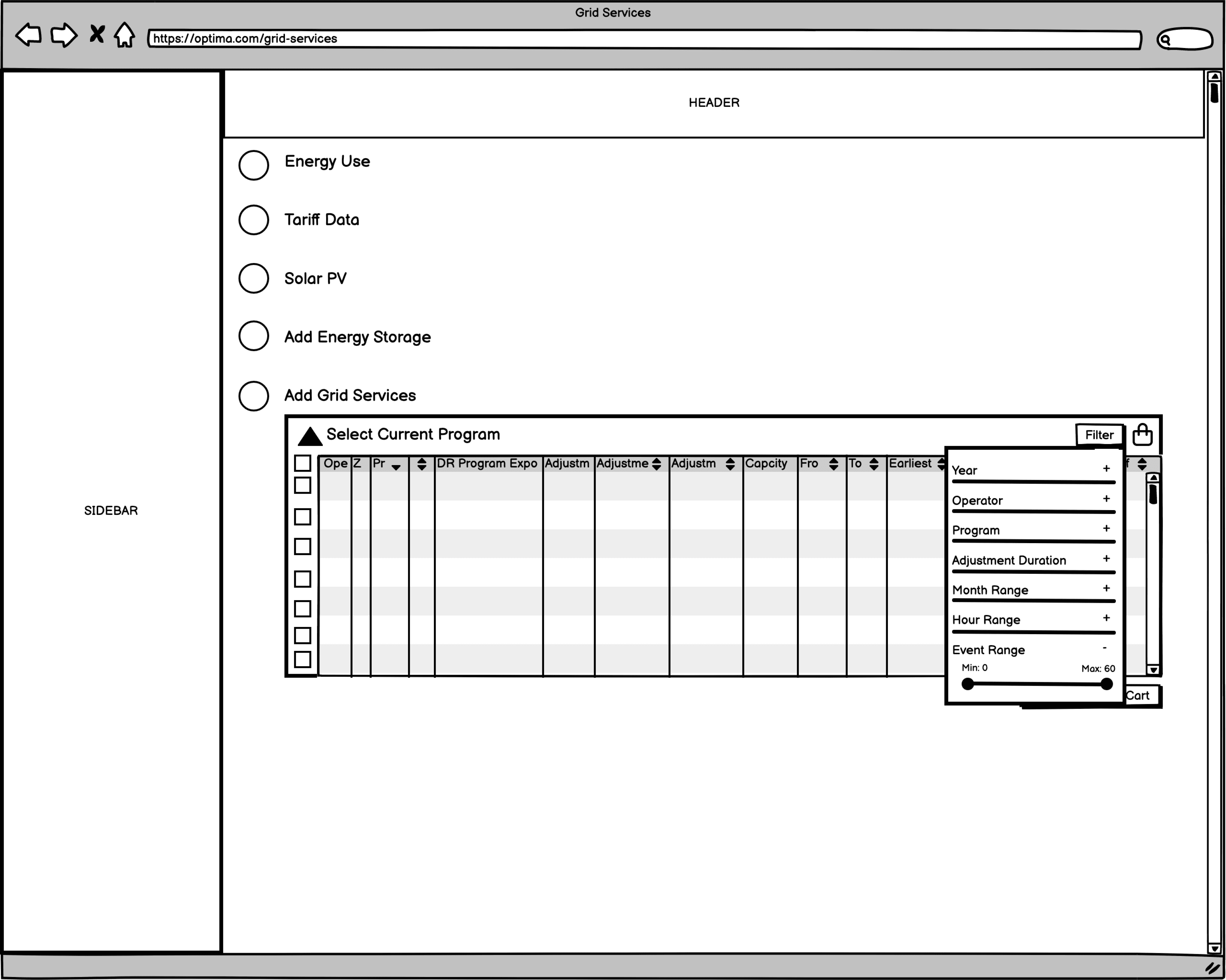
Early sketches centered on checkboxes for clear selection, a cart-like area to keep chosen programs visible, and filters to reduce information overload. Balsamiq wireframes explored how these pieces could work together.

Use fidelity to improve stakeholder feedback
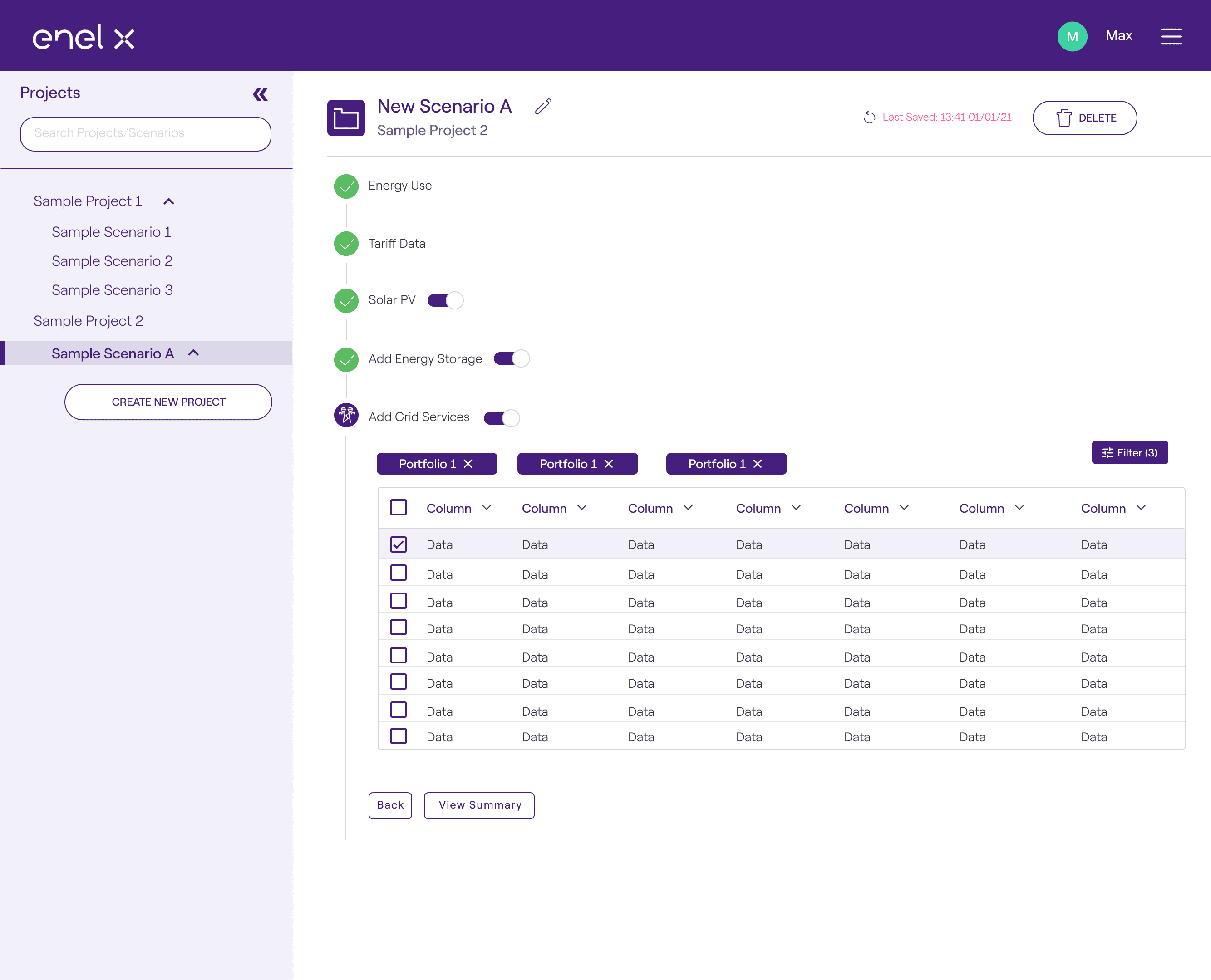
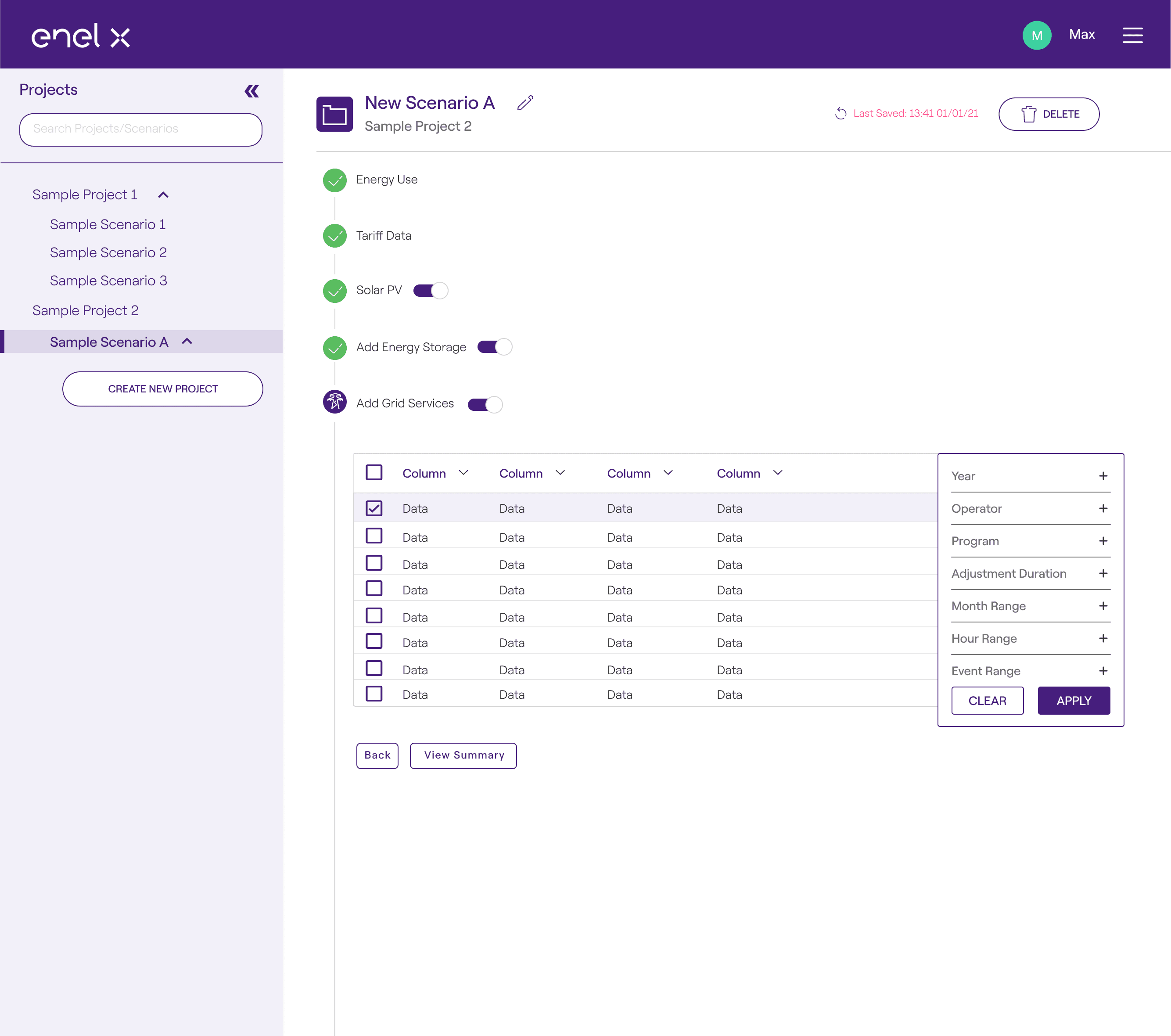
After reviewing concepts with the Product Manager and Lead UX Designer, I moved selected ideas into high-fidelity mockups earlier than usual. This helped stakeholders evaluate collapsible versus static filters, filter-and-cart arrangements, cart organization, map references, and table structures more concretely.
Bring Engineering into the decision
I facilitated a developer workshop around three prompts: What do we like? What questions do we have? What ideas did this spark? Developers and engineering partners surfaced constraints, dependencies, and trade-offs before implementation, helping Product and Design refine a feasible direction.
Focus the first prototype on the primary context
The initial prototype combined checkboxes and visual selection indicators, a static shopping cart, and collapsible filtering. We began with desktop because most Grid Services selections happened there, then used the usability findings to refine the experience.
The Solution
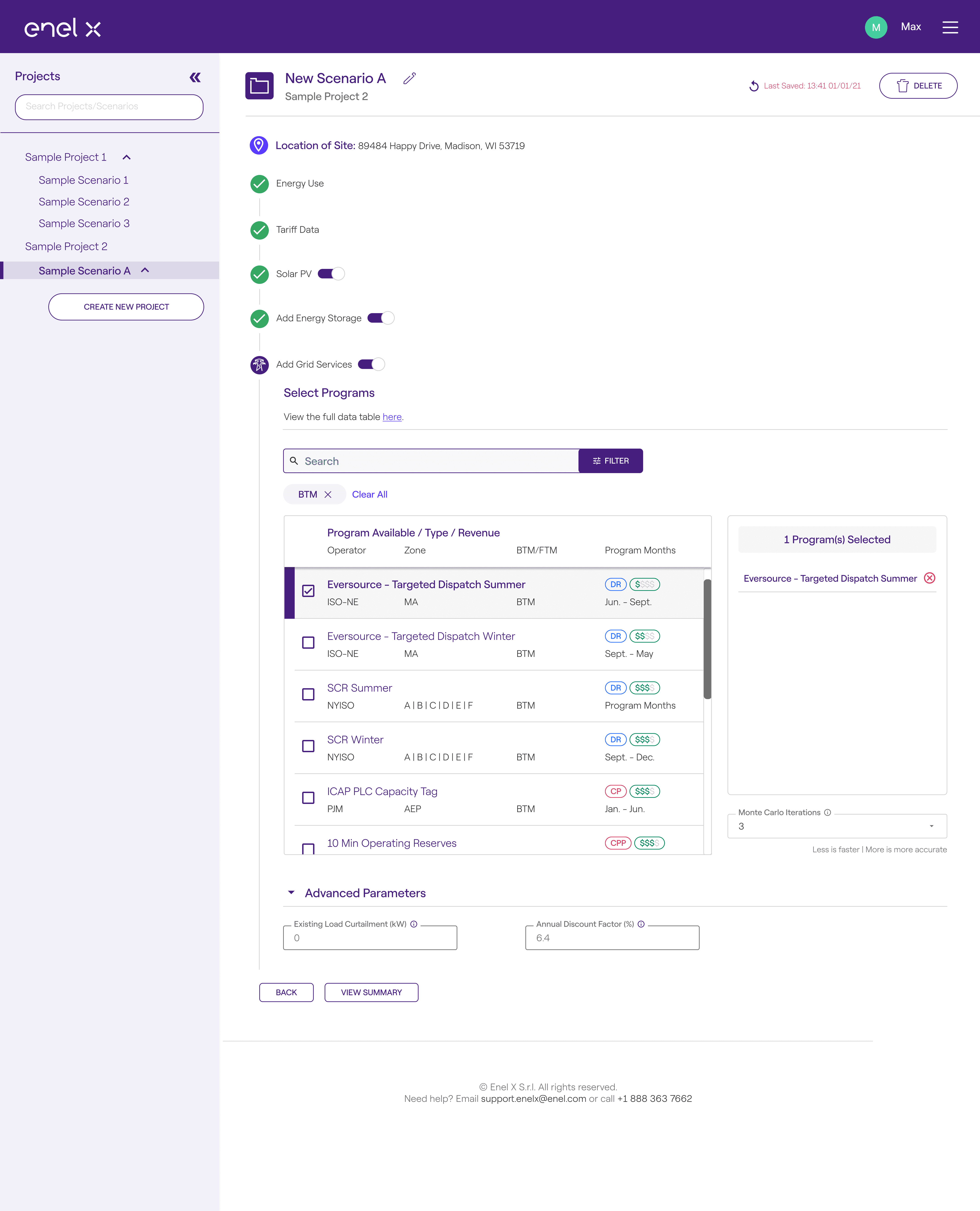
The final design makes key program information easier to scan while keeping selected programs visible. Instead of asking engineers to parse every data point at once, the interface supports filtering, comparison, and configuration in a clearer workflow.
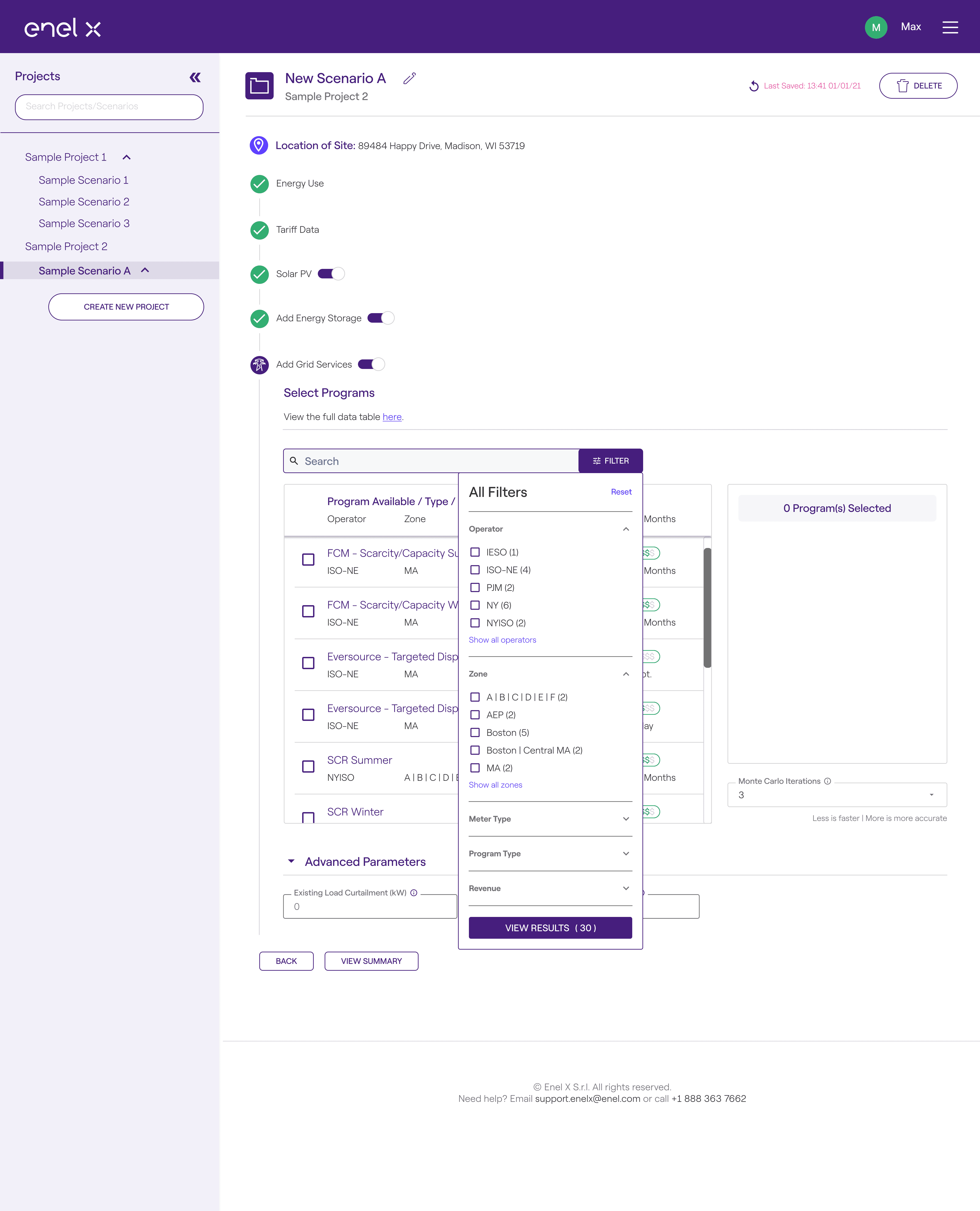
Clear filters and scannable tags
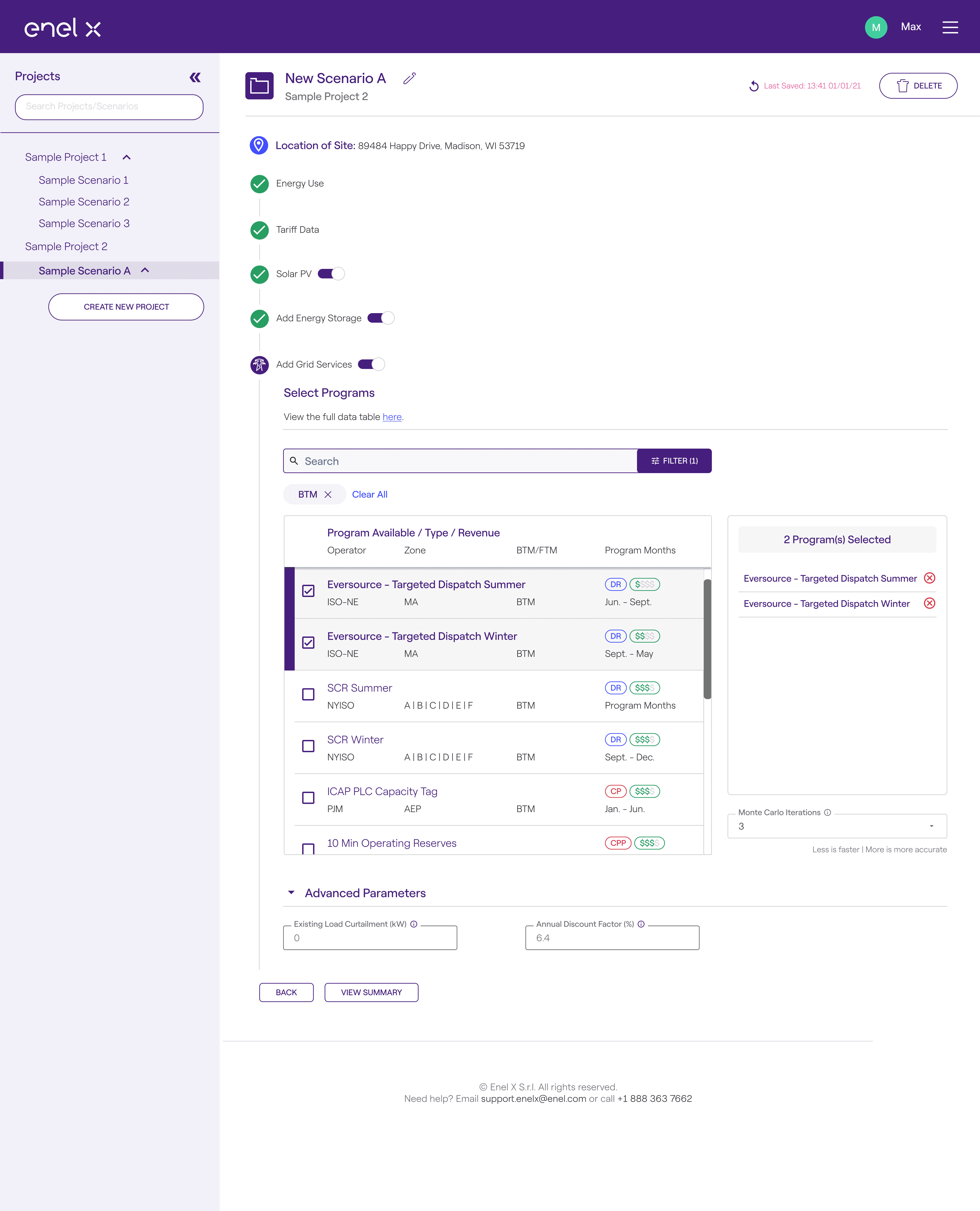
I moved key data points into the filters and added color-coded tags for program value and type. Active filters appear as tags with a one-click option to clear them all.
A cart-like selection model
Selected programs collect on the right side of the screen. A checkbox, purple sidebar, and background change reinforce the selected state, making it clear what has been chosen without relying on a single visual cue.

Responsive layouts and precise handoff
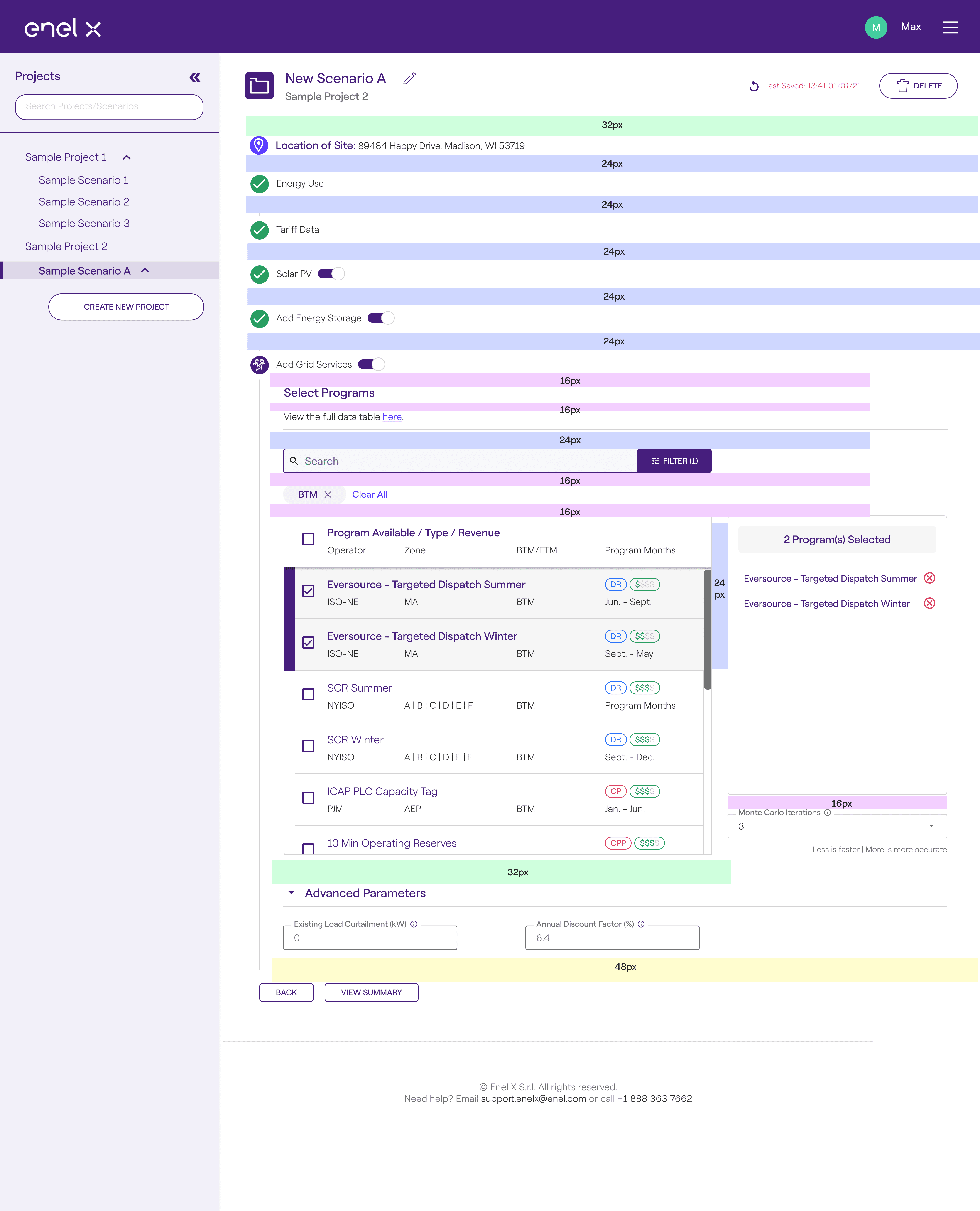
I refined the layouts for 1920px, 1440px, 1280px, and 768px. The handoff included precise ratios and pixel values for spatial relationships between interface elements.
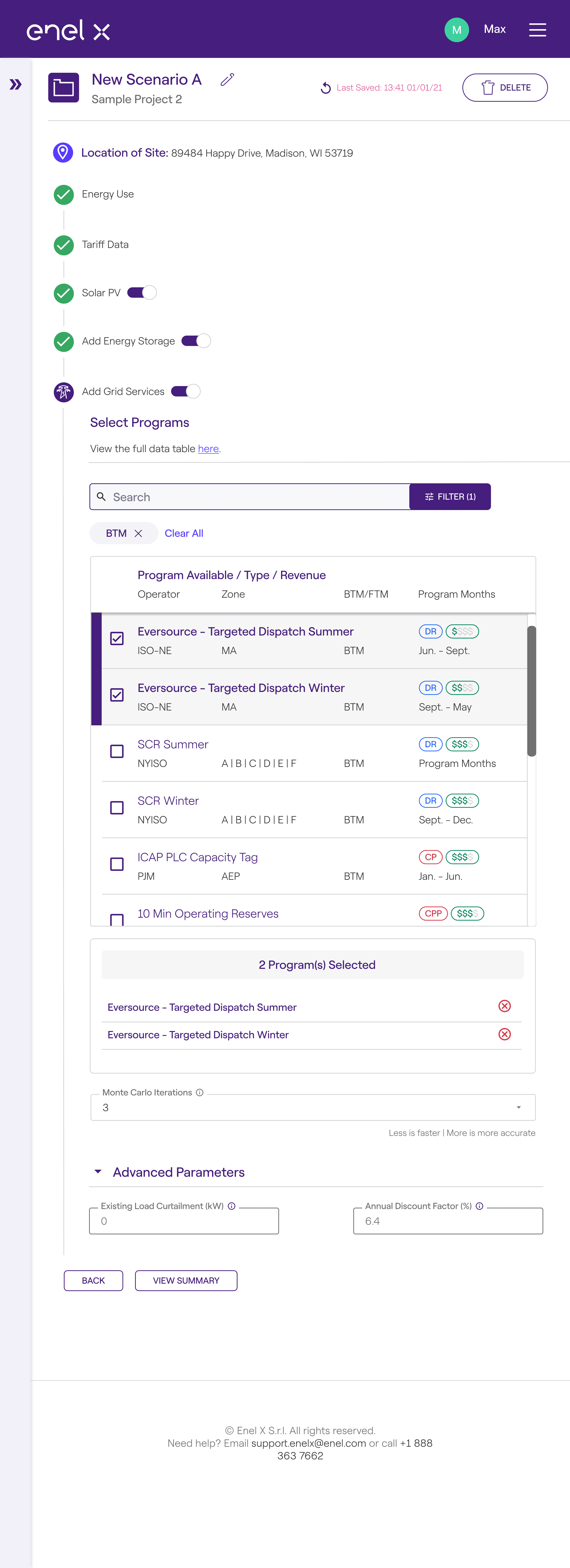

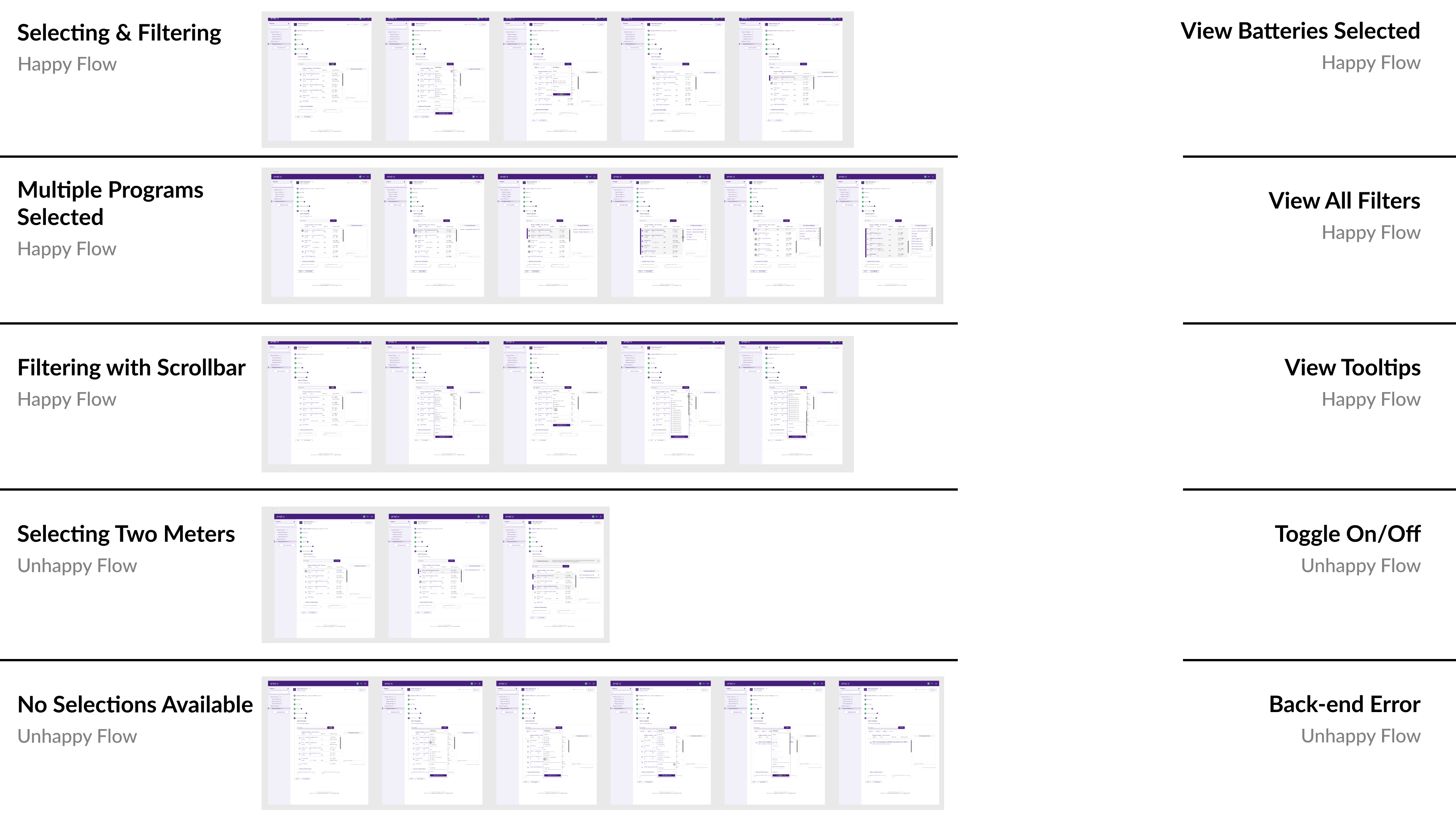
Eight use cases, including the edges
I documented filtering and selecting programs, managing multiple selections, and viewing active filters, alongside conflicting meter selections, empty states, and system errors. These scenarios helped prepare the design for real-world implementation.
Impact & Results
Reflection
NEXT
work