Overview
The Challenge
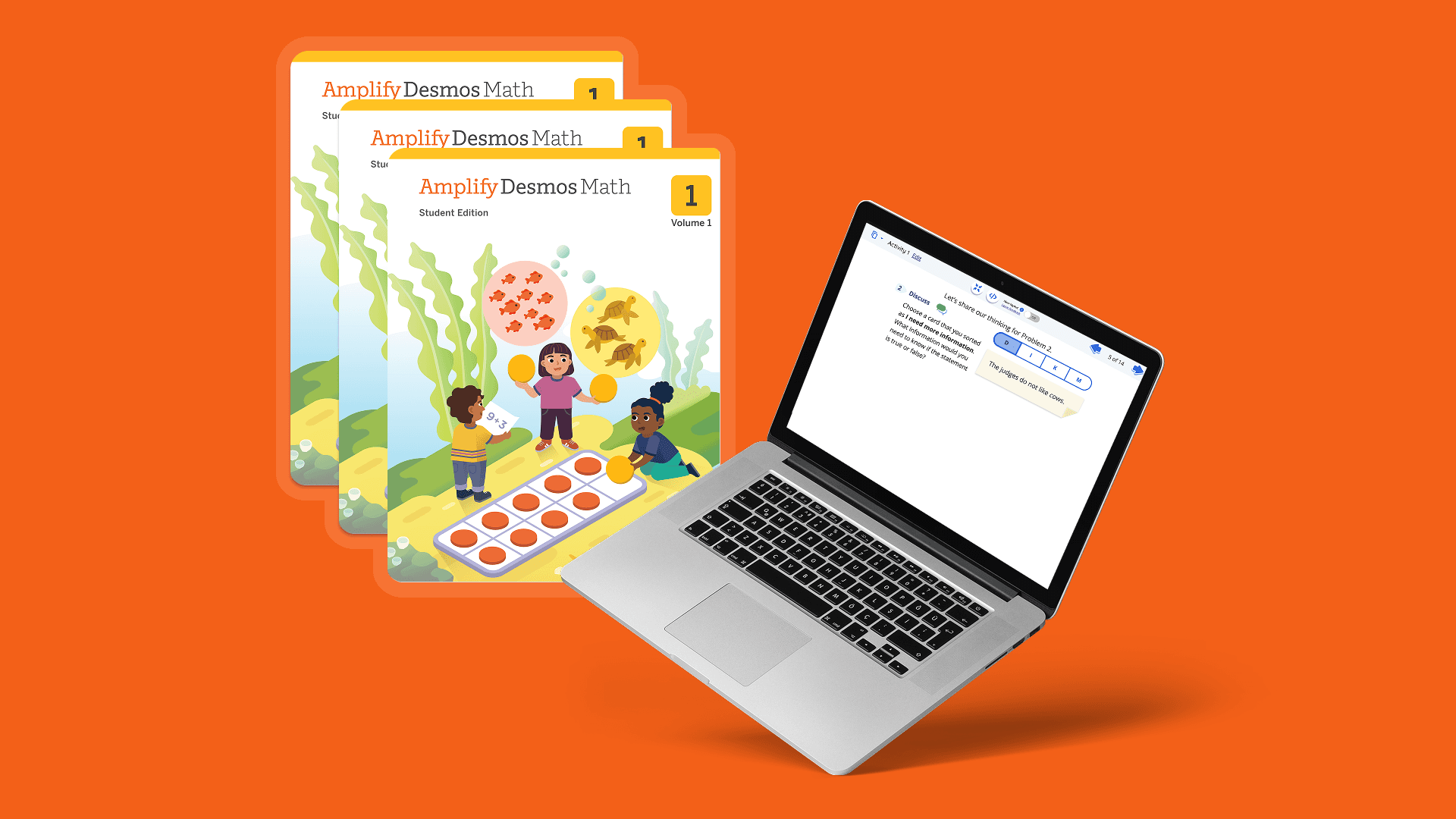
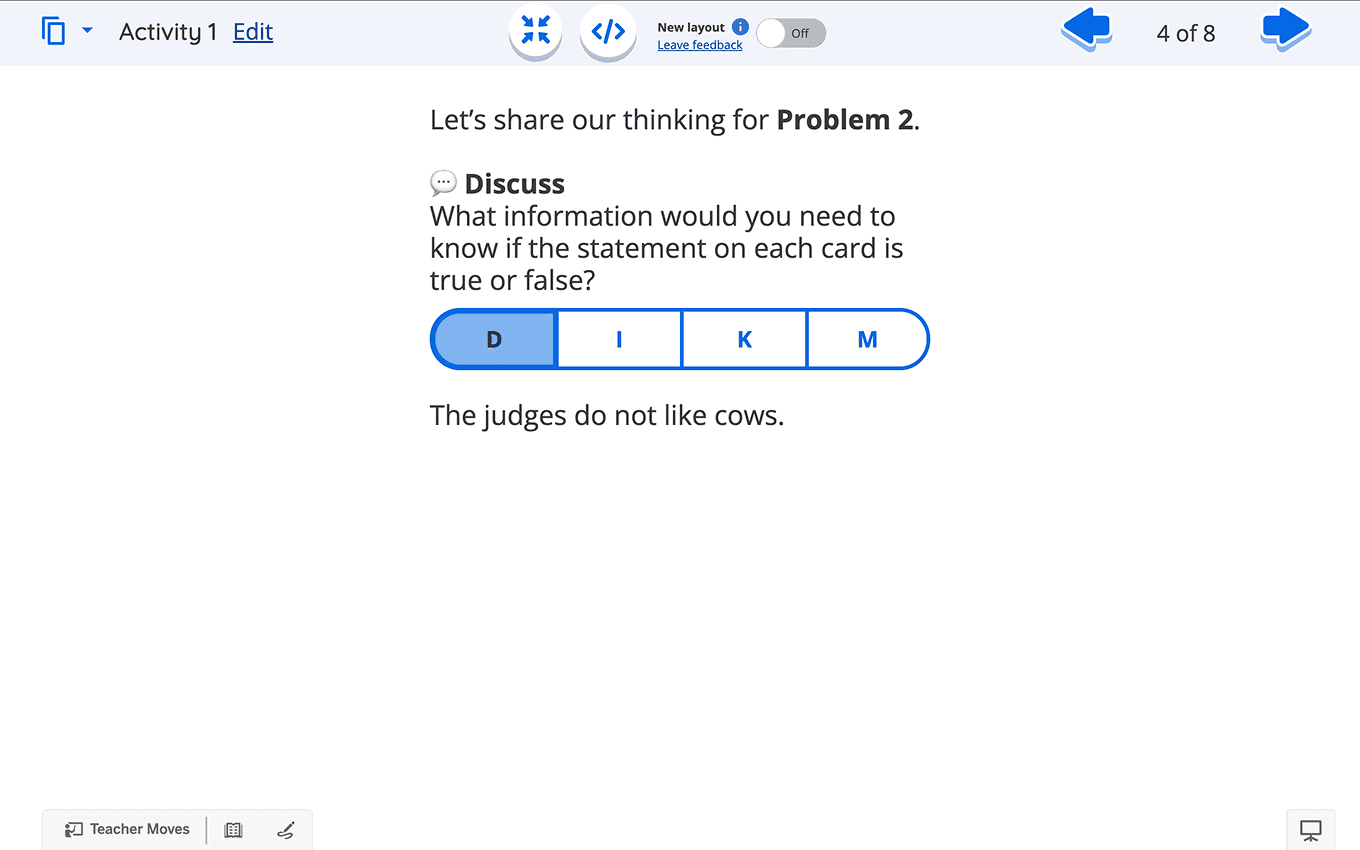
Students struggled to connect the problems in their printed Student Edition (SE) with the Teacher Pairing Screens (TPS). Differences in numbering, icons, wording, and layout made the same lesson feel like two different experiences.
The design challenge
How might we create a consistent experience between the SE and TPS to enhance student understanding and eliminate confusion? The solution needed to preserve recognizable textbook cues while improving legibility on classroom displays.

My Role
Research
I combined classroom observations, teacher focus groups, and cross-functional research syncs to understand where the print-to-screen experience broke down.
Observe the experience in context
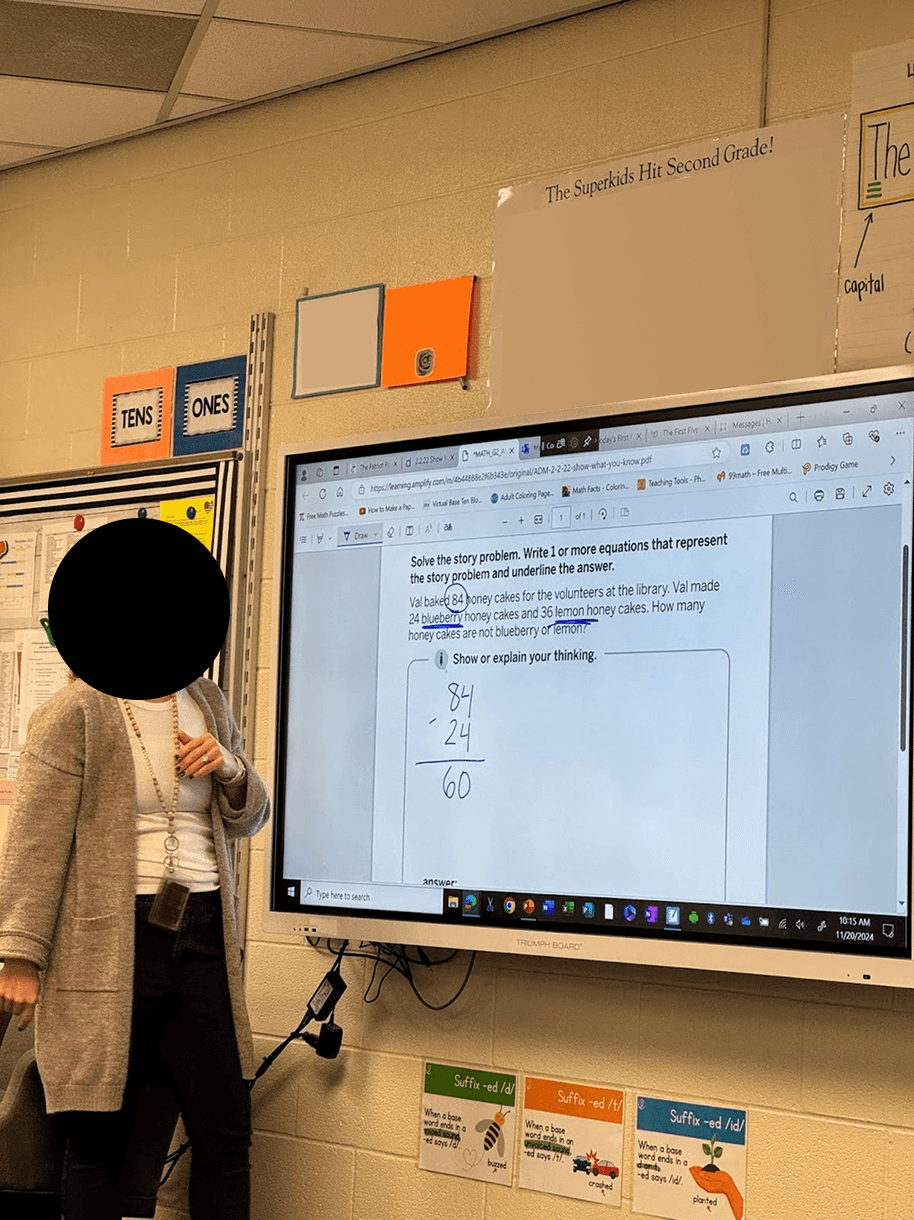
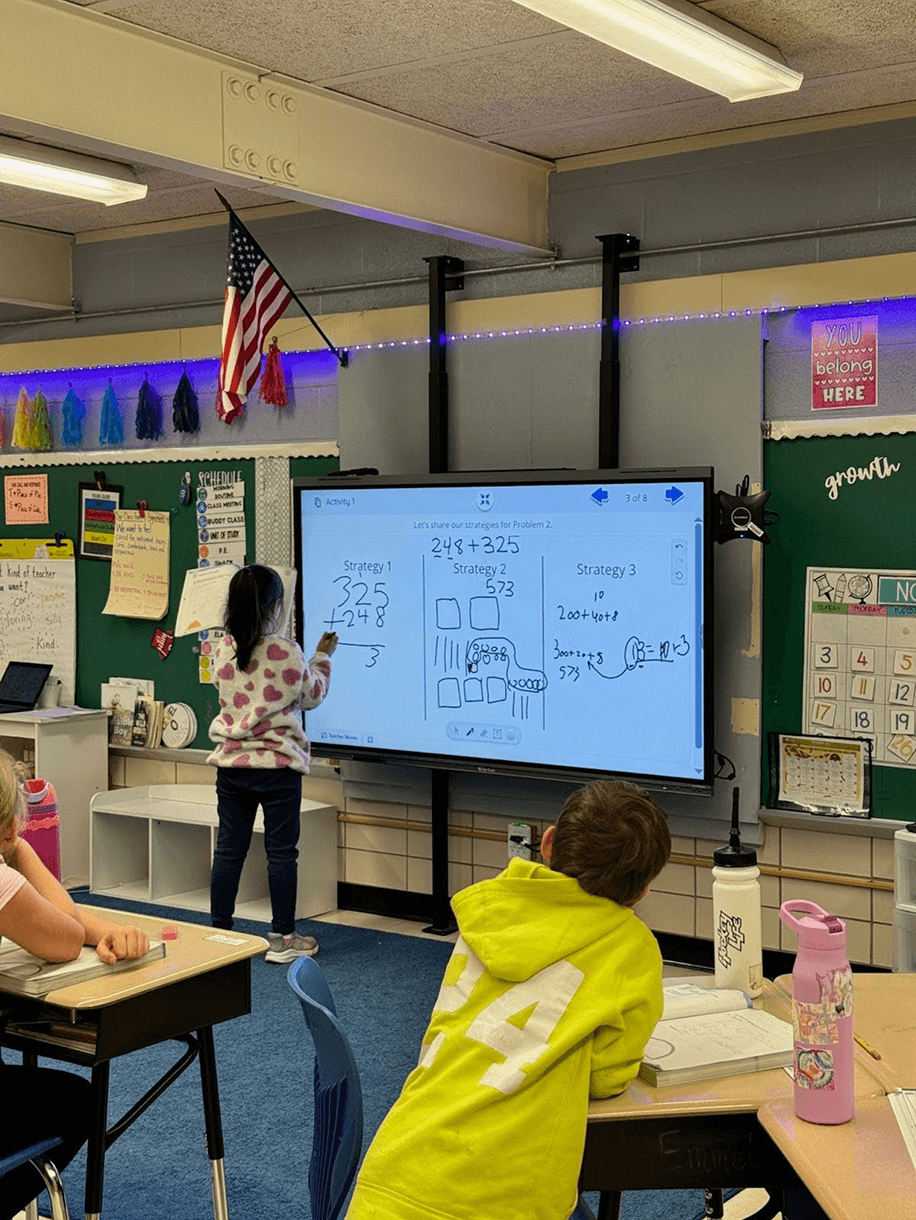
We observed six K–5 classrooms in an Amplify-deployed school district, with 17–20 students and 1–3 teachers per classroom. I stayed at the back of the room to avoid disrupting lessons, watched students move between their textbooks and the screen, and captured supporting photos without student faces.
Hear directly from teachers
Three focus groups involved 2–4 teachers from kindergarten, fourth, and fifth grade. A consistent set of open-ended questions helped us compare needs across grades and teaching contexts. Bi-weekly meetings with Product and Curriculum kept findings connected to implementation and educational goals.
We also collaborated with teachers, school administrators, and Amplify administrators to understand technical implementation, maintenance, and alignment with student needs.
What we learned
Unclear problem displays caused confusion and incorrect problem-solving. Teachers manually rewrote problems on screen, revealing a need for consistent presentation and more room for student input. Students sometimes lost track of the intended problem and began solving a different one in their textbook.
“The students need to recognize what is happening through repetition. They need to see exactly the SE on screen.” — Teacher #6, second-grade teacher
Design Process
I moved from low-fidelity layout exploration to a working prototype, balancing fidelity to the textbook with the realities of a projected classroom interface.
Start with familiar learning cues
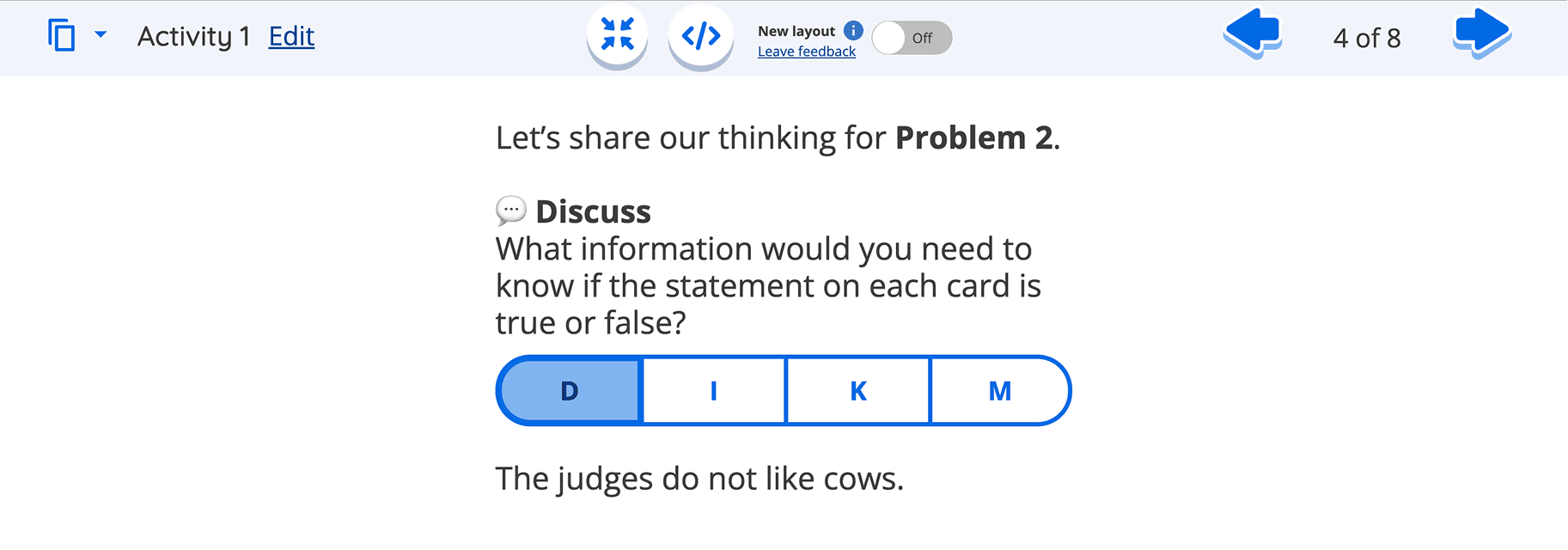
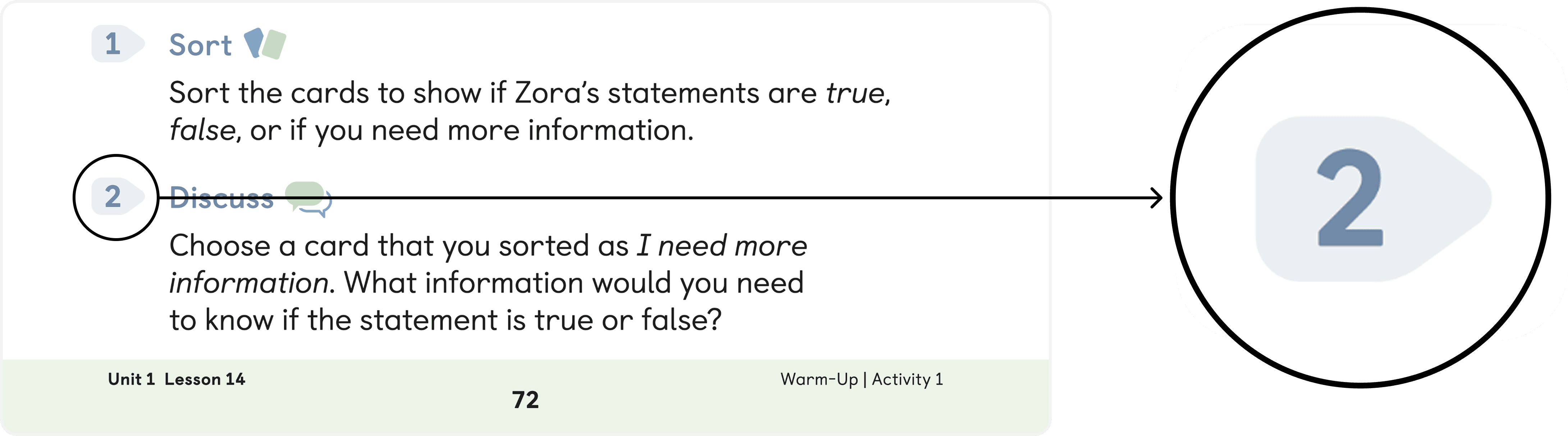
Balsamiq explorations focused on three details: a consistent background shape behind problem numbers, the textbook’s icon beside the bold “Discuss” label, and wording that matched the Student Edition. These choices supported recognition and repetition rather than asking students to interpret a new visual language.
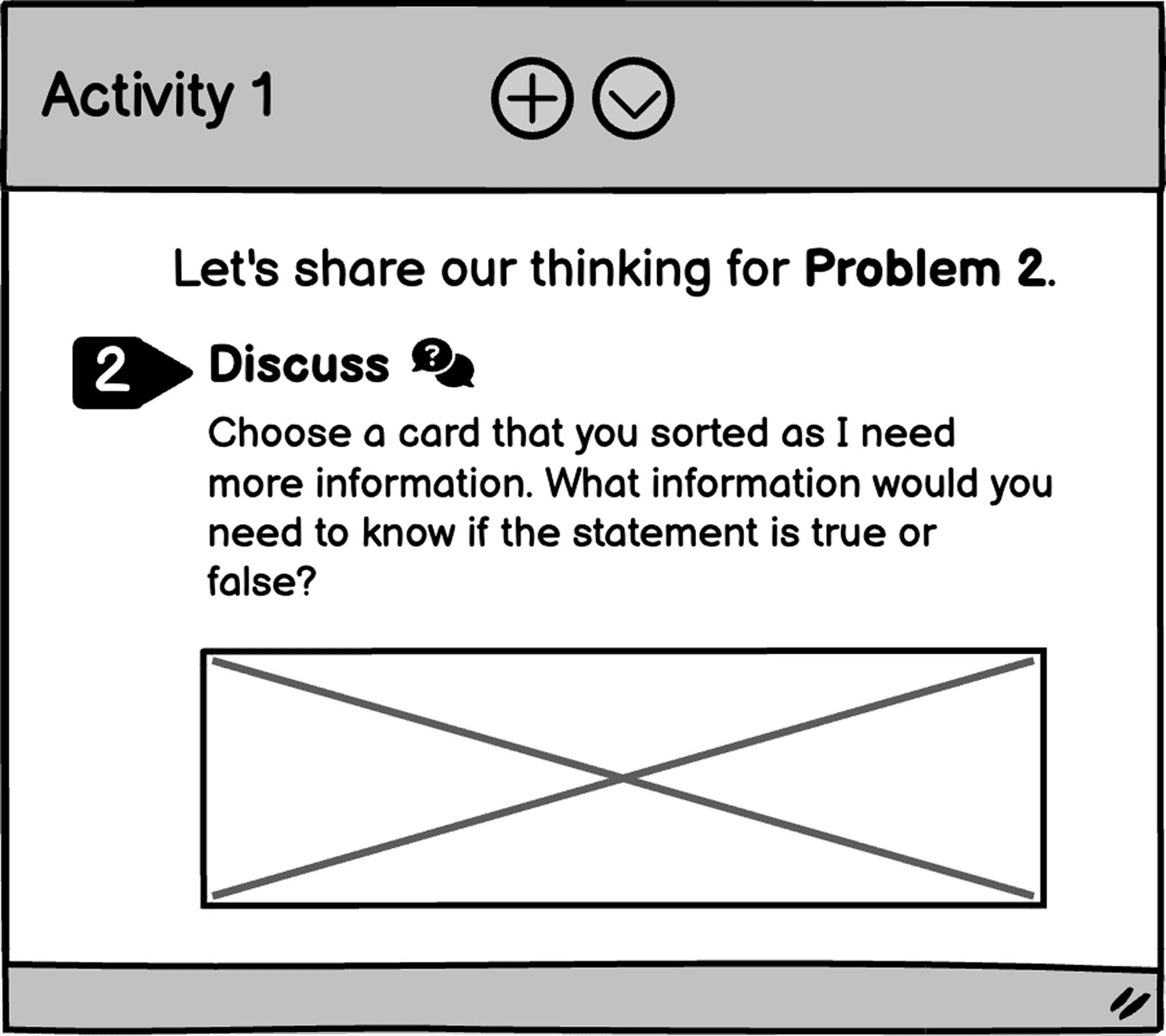
Design principles
Establish a clear connection between print and screen. Maintain consistent design elements, terminology, and content to reduce cognitive load. Prioritize clear typography, ample spacing, and an accessible visual hierarchy.
Use accessibility evidence to challenge print colors
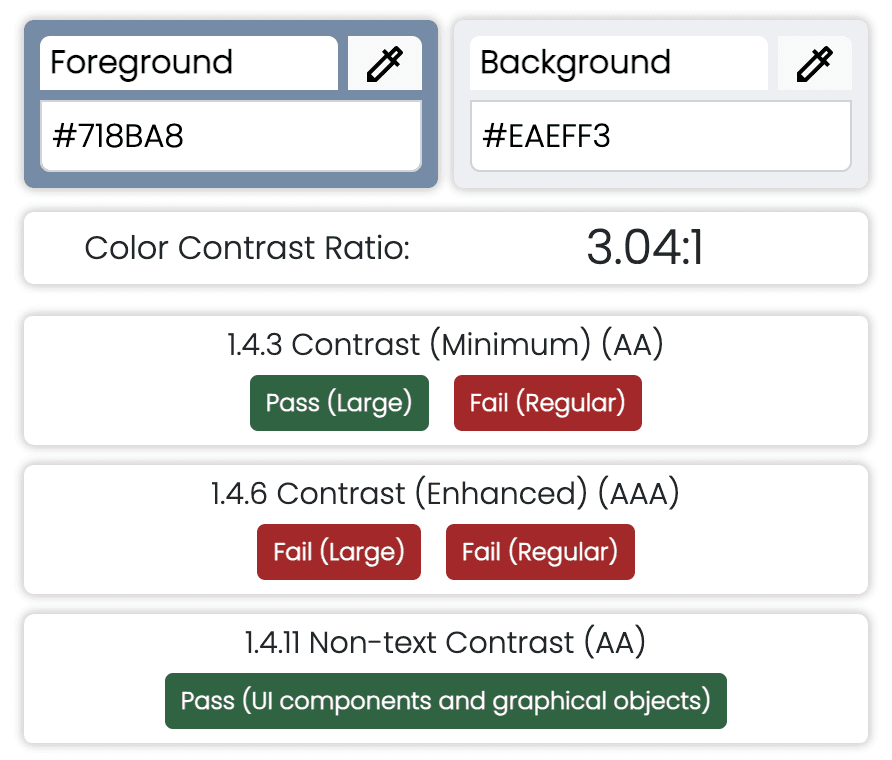
A WCAG check of the textbook’s foreground/background pairing returned 3.04:1, below the 4.5:1 AA minimum for regular text and the 7:1 AAA standard. Because the content would be projected across a classroom, I used this evidence to advocate for darker, higher-contrast numbers and text rather than reproducing print colors unchanged.
Work with the platform, not against it
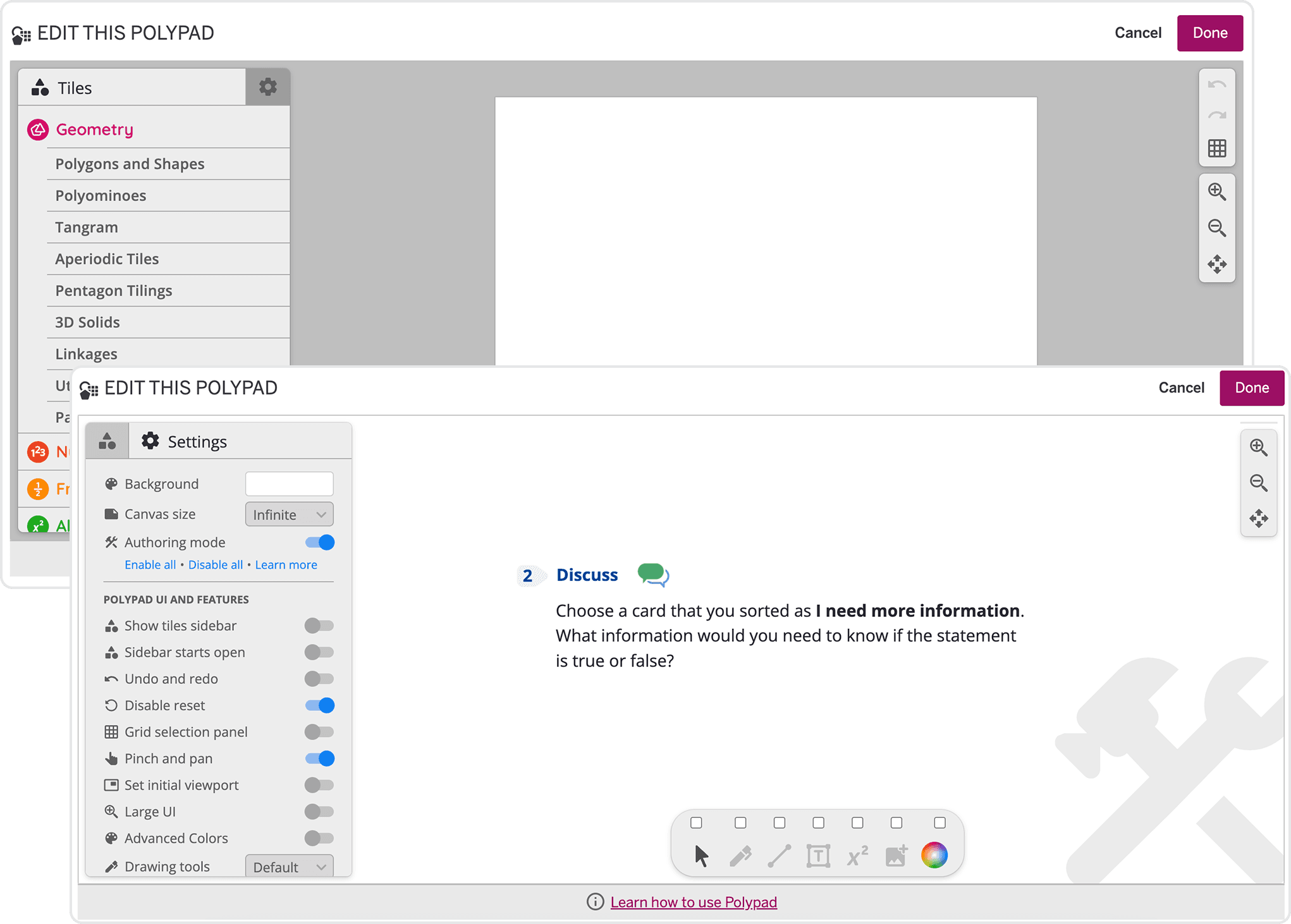
Native TPS components supported emoticons but not the custom icons needed to match the textbook. Emoticons also required manual rendering checks across iOS, Android, and Windows. I identified an underused custom-icon import capability in Polypad, an existing interactive canvas originally used for shapes and games. After discussing the approach with its engineer, we received approval to repurpose it for textbook-aligned screens.
Prototype and review with domain experts
The working prototype combined darker problem numbers, consistent number backgrounds, and the same activity icon used in the textbook. Five internal design team members reviewed it. Their experience as former teachers, researchers, and textbook specialists surfaced issues with aspect ratios, padding, and matching Polypad text sizes to the existing screens.
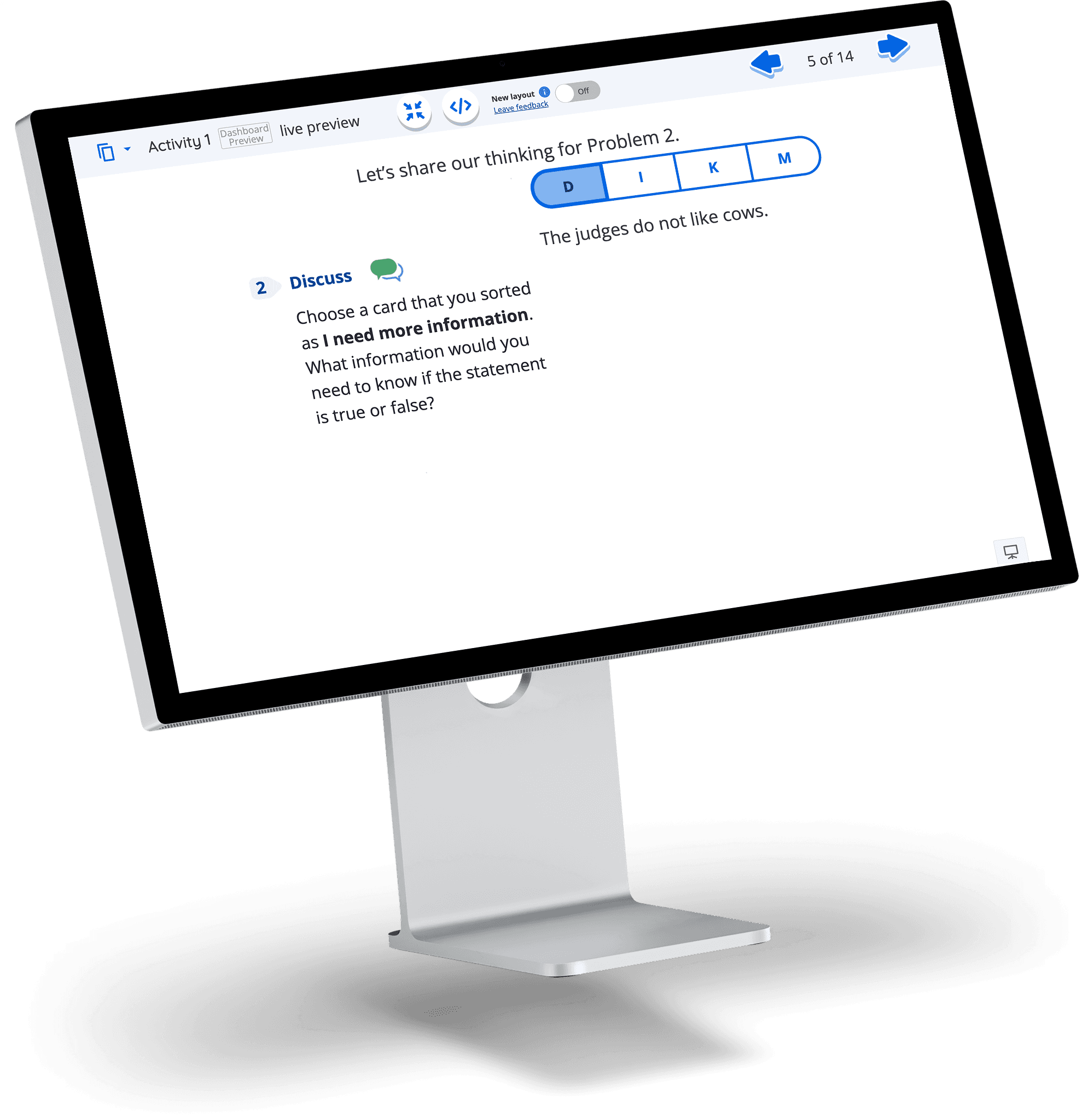
Resolve text consistency across screen shapes
For 4:3 layouts, I assessed padding and line length around denser problem statements. For 16:9, I tested proportional padding across wider viewports. For 1:1, I checked shorter text blocks in the most compact format. This review established a consistent formatting approach across the three screen ratios.
The Solution
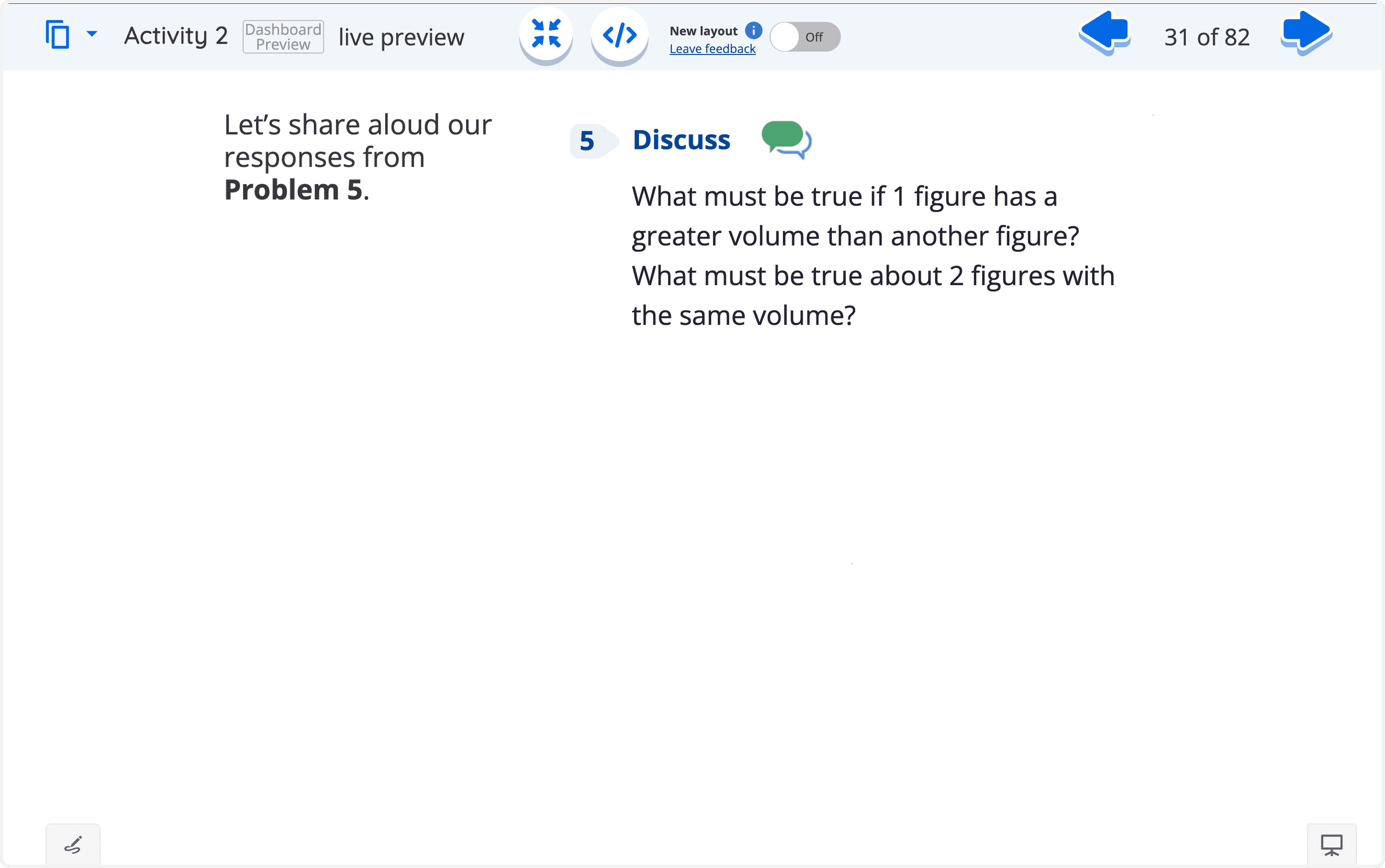
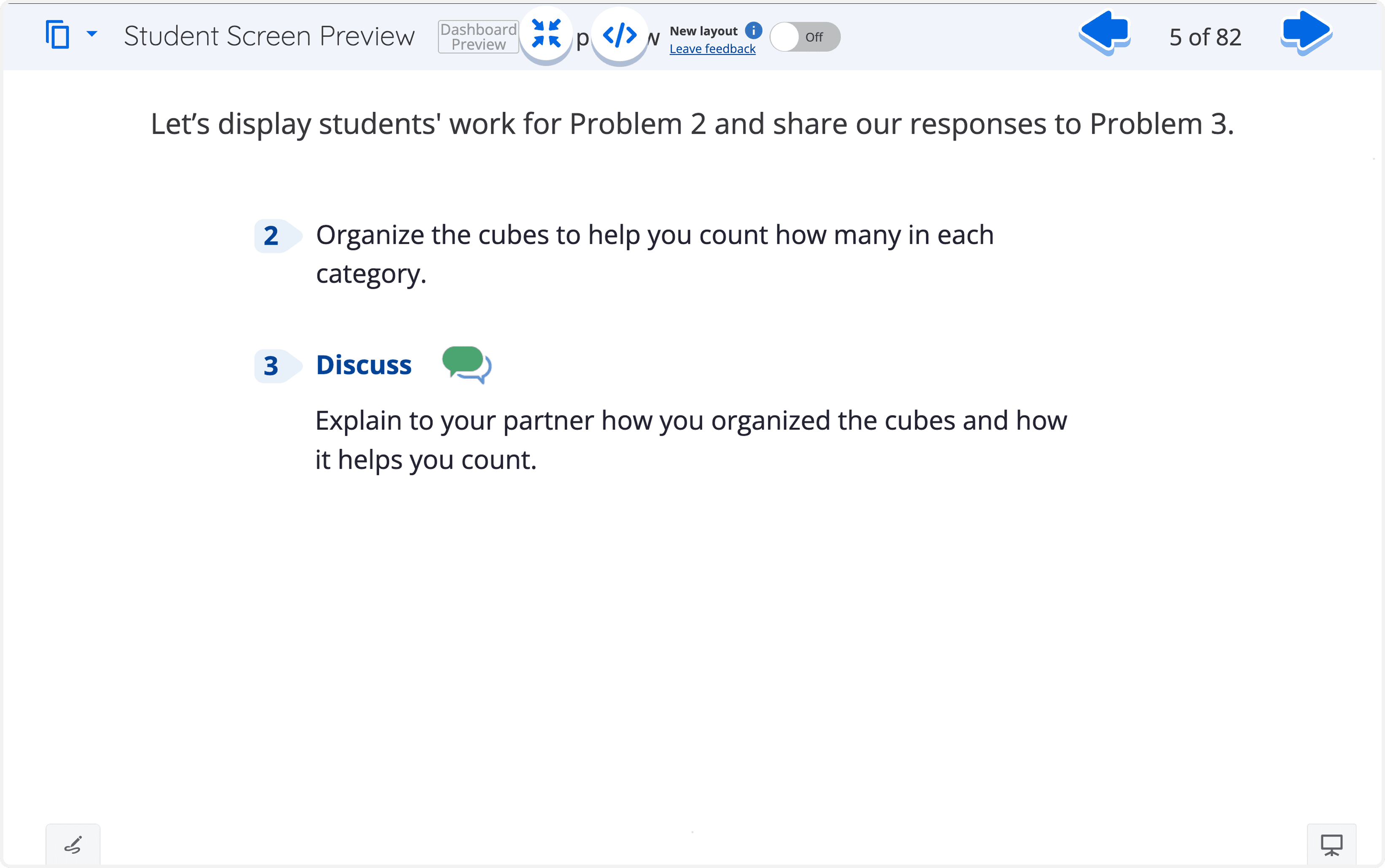
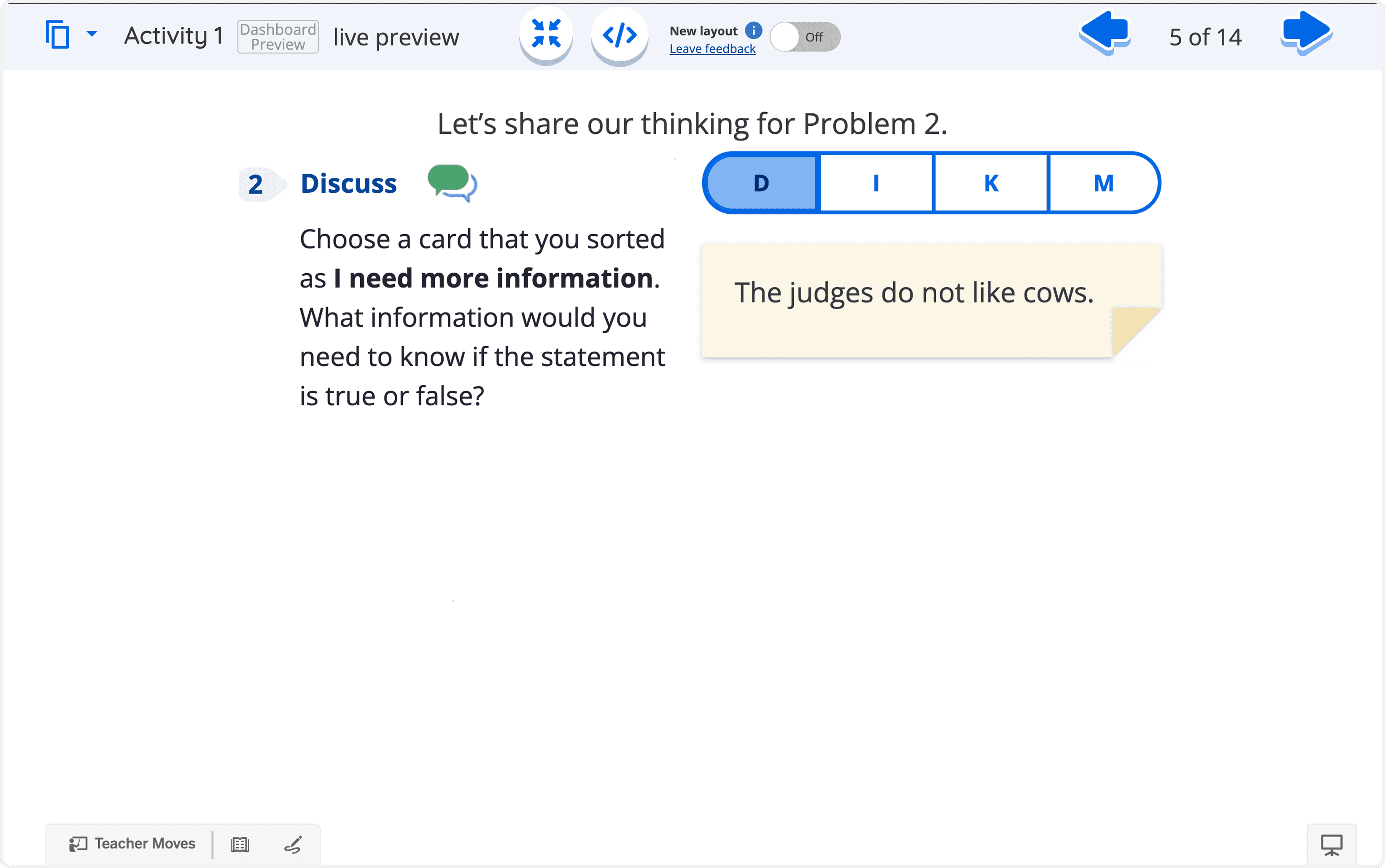
The redesigned Teacher Pairing Screens mirror the Student Edition’s problem structure, numbers, activity icons, and text formatting while using darker text for classroom legibility. Polypad enabled the custom layouts that native components could not support.
A recognizable connection from textbook to screen
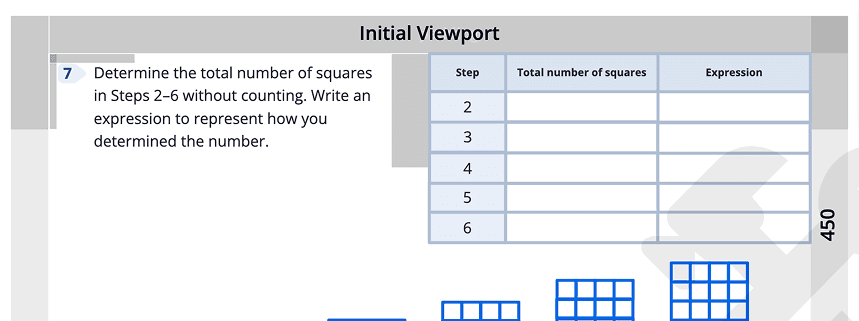
Consistent number backgrounds and familiar icons beside activity headers such as Discuss, Explain, and Justify give students visual anchors between the printed page and the classroom display.
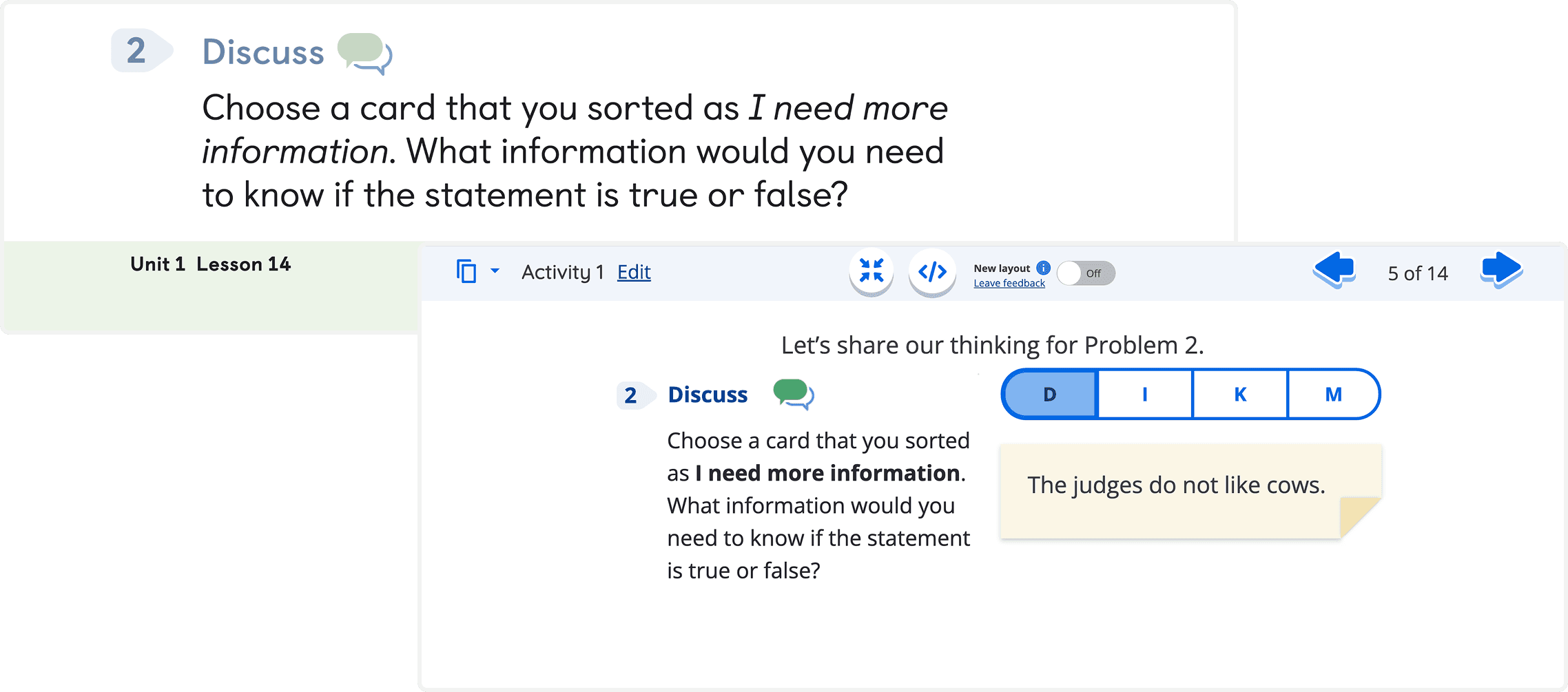

Before and after

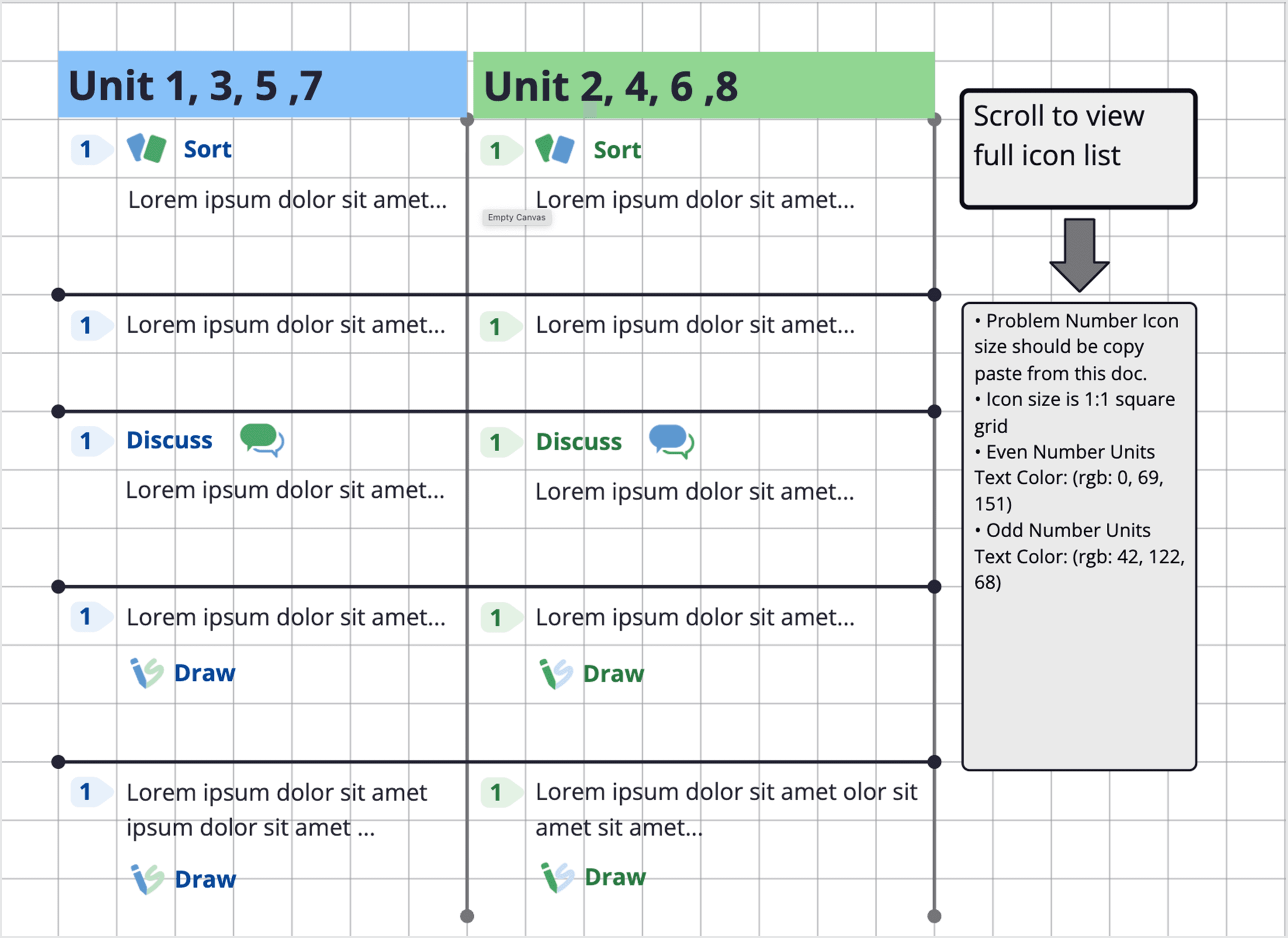
A library for consistent implementation
I built a reference document for problem-number icons, activity icons, and color values across units. It specified exact icon sizing on a 1:1 grid and RGB values for odd- and even-unit number colors.
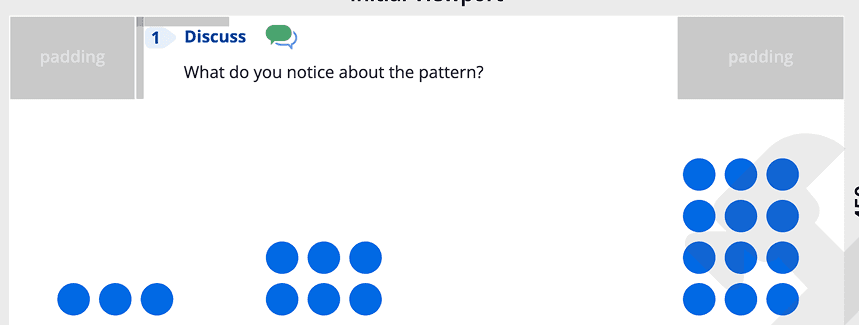
Templates and specifications for handoff
Approved templates gave designers a consistent starting point across curriculum use cases instead of rebuilding each screen from scratch. Handoff specifications covered 1:1, 16:9, and a 16:9 screen containing a 1:1 inner layout.


Impact & Results
Reflection
NEXT
work